9 min read
A Threads comment giveaway has four parts: collect replies from a public post, build an eligible entry list, pick a random winner, and save a record of the draw. With the CommentGrid Threads Giveaway Picker, start by pasting your giveaway post URL and clicking Start Export. Then check the returned data before using it for a draw.
Before choosing a Threads giveaway tool, decide whether multiple comments from the same account count as extra entries and whether replies to other comments qualify. Both decisions change who goes into the draw, so publish them before the giveaway starts.
Set Your Giveaway Rules Before You Start
The following rules affect how you prepare the entry list and select a winner. Include them in the original giveaway post so participants can read them from the start.
| What to Decide | Example Rule |
|---|---|
| Entry deadline | Entries close at 11:59 p.m. on the specified date, U.S. Eastern Time (ET). |
| Which replies count | Only direct replies to the giveaway post qualify. |
| How to enter | Submit a specific answer or include the required text in a comment. |
| Repeat entries | Each account gets one entry. Additional qualifying comments do not increase its chances. |
| Prizes and winners | One prize for one winner; specify whether you will also draw backup winners. |
| Claiming a prize and selecting replacements | Set a contact deadline and explain what happens if a winner is ineligible or does not respond. |
If you also require participants to follow, like, repost, or tag a friend, explain how you will check those conditions. A comment does not prove that someone has completed the other requirements. Use conditions you can actually verify, and avoid adding new ones after a winner has been selected.
A Giveaway Rules Template You Can Adapt
Replace the text in brackets with your giveaway details:
Reply directly to this post with “[required answer]” for a chance to win [prize]. There will be [number] winner(s).
Entries close on [date] at 11:59 p.m., U.S. Eastern Time (ET). Each account receives one entry. Multiple qualifying comments count once, and replies to other comments do not qualify.
We will prepare a list of eligible entries, select the winner(s) at random, and announce the results on [announcement date]. Winners must contact us through [official contact method] by [claim deadline]. If a winner is ineligible or does not respond in time, we will follow [backup winner or redraw procedure].
This example keeps the rules straightforward to apply. If you want additional comments to count as extra entries, change that rule and process the list accordingly.
How to Run a Threads Giveaway With CommentGrid
Step 1: Copy the Public Giveaway Post URL
Open the giveaway post and copy its link from the sharing options or your browser’s address bar. You need the URL of an individual post, such as:
https://www.threads.com/@username/post/POST_CODE
Check that the URL points to the original giveaway post rather than a profile or an individual reply. Using the wrong link can change which part of the conversation you collect.
Open the Threads Giveaway Picker, paste the link into the Threads Post URL field, and click Start Export.
Step 2: Check the Export Results and Reply Coverage
Once processing finishes, read the results or messages on the page. If no data appears, you reach a limit, or the tool directs you to a different workflow, resolve that issue before drawing a winner.
Spot-check several qualifying comments from the original post. Make sure their accounts and comment text appear in the results. Also check the number of comments collected, the processing status, and the tool’s current limits.
The reply count shown on Threads, the number of comments collected, and the number of eligible accounts are three different figures. Deleted or inaccessible replies, reply levels, and collection limits can all affect the results. A returned list is not necessarily a complete entry list.
Save a copy of the original results before cleaning them up. For help with the files, see our guide to exporting Threads replies.
Step 3: Check Eligibility Before Removing Repeat Accounts
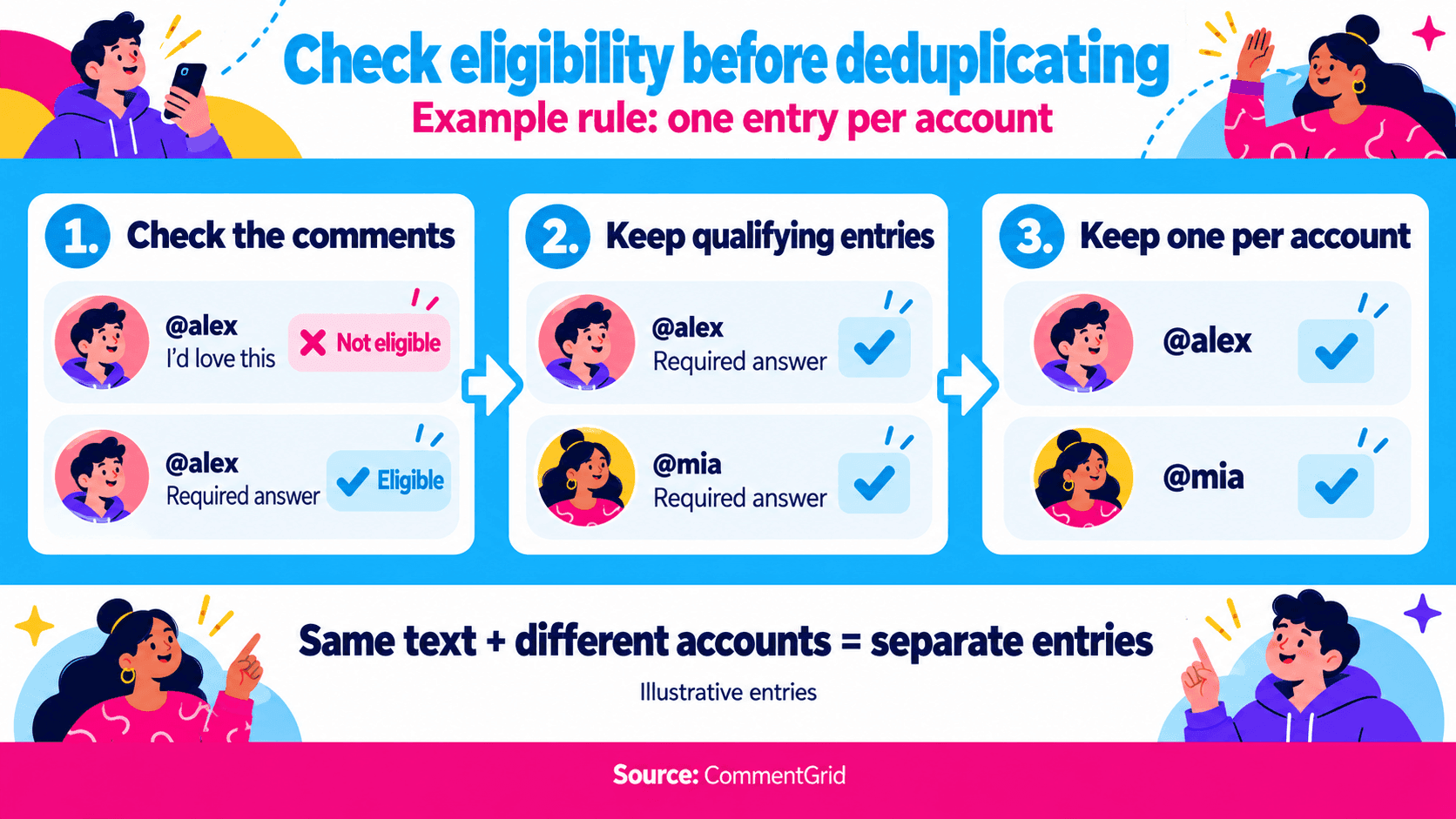
Apply your published rules for the deadline, required answer, and reply scope first. Then decide how many entries to keep for each account.
For example, Alex first comments “I’d love this,” then submits the required answer before the deadline. If you keep only Alex’s first comment before checking the answer, you could exclude an eligible participant. For a giveaway that allows one entry per account, find the qualifying comments first, then reduce each account to one entry.
CommentGrid’s tool description includes options for removing duplicate content and repeat participants. Choose the option that matches your giveaway rules, then review the resulting list. As the organizer, you still need to check keywords, deadlines, and other eligibility conditions; exporting comments does not automatically make every entry eligible.
If you need to download the data and apply additional filters in a spreadsheet, use that checked list for the draw. Editing a downloaded file does not update the original entry list on the webpage. Do not return to the unchanged online list and draw from it.
Step 4: Confirm the List You Will Actually Draw From
Before selecting a winner, check that:
- Every remaining entry meets the same published rules.
- No account has multiple entries if your giveaway allows only one per account.
- Your own replies and other ineligible entries have been excluded according to the rules.
- The draw uses the exact list you just checked.
Save the final list and eligible participant count. If known eligible participants are still missing, fix the data before drawing. Random selection can only choose from the entries it receives; it cannot give missing participants a chance to win.
Step 5: Pick a Winner and Verify Eligibility
Once the list is ready, use the page’s random selection feature. CommentGrid’s web tool is described as selecting one winner at a time.
If you need multiple winners, first decide whether an account can win more than once. If it cannot, make sure all entries belonging to a previous winner are excluded before the next draw. Do not assume that clicking again automatically removes the previous winner. If the current workflow cannot enforce this rule, use a drawing method that can work with the required list.
After the draw, check the winning account, the original comment, and any conditions that require separate verification. If the winner is ineligible, record the reason and follow your published procedure. Do not redraw simply because you dislike the result.
Step 6: Save the Draw Records and Announce the Winner
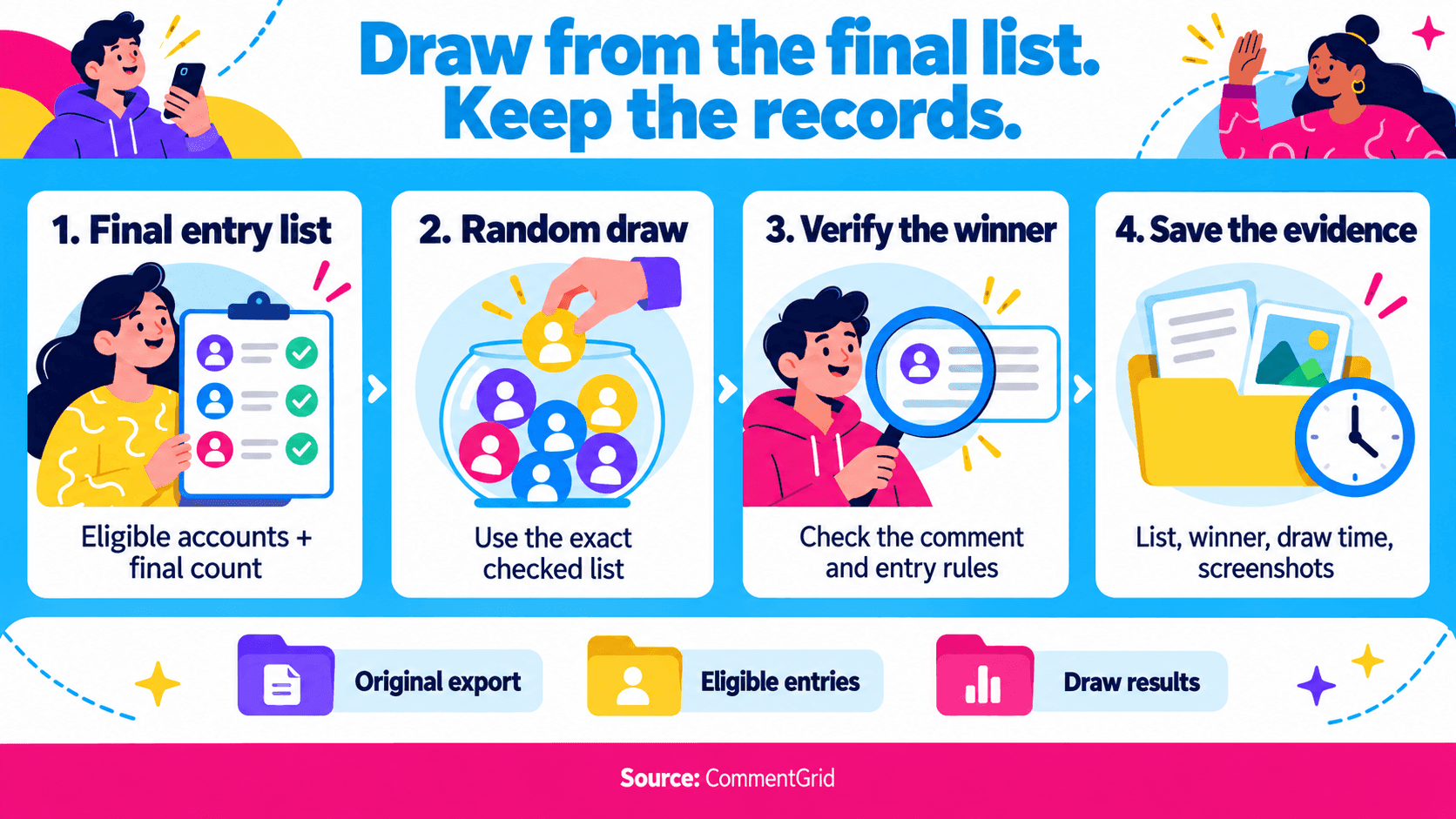
Save the entry list used for the draw, the winning account, the winning comment, and the draw time. Use the page’s available download options to save data, and take your own screenshots or screen recording to document the process and result.
When announcing the winner, include the prize, winning account, claim deadline, and official contact method. Keep records of any disqualification or replacement. Collect delivery addresses and phone numbers separately, and keep them out of public winner screenshots.
How to Handle Duplicate Comments and Repeat Accounts
Matching comment text and matching accounts are two different checks.
| Situation | What to Do for One Entry per Account | Common Mistake |
|---|---|---|
| Alex posts three qualifying comments. | Keep one entry for Alex. | Treating three comments as three participants. |
| Alex and Mia both comment “Count me in.” | Keep one entry for each account. | Removing one participant because the text is identical. |
| Alex posts one ineligible comment and one eligible comment. | Keep the eligible comment, then remove repeat entries by account. | Keeping an arbitrary comment before checking eligibility. |
| The same comment is collected twice. | Remove the duplicate record. | Treating a duplicated record as another entry. |
Identify participants by their account identifiers rather than display names alone. Different accounts can use the same display name.
If your rules allow one entry per qualifying comment, do not switch to one entry per account after the deadline. However, collecting the same comment twice still does not mean the participant entered twice.
Do Replies to Other Comments Count?
Decide whether your Threads giveaway accepts only direct replies to the original post or also includes replies within those conversations. Explain the scope before the giveaway starts.
If only direct replies qualify, do not mix every reply level into the draw. If nested replies qualify, check that your data contains the actual text of those replies, rather than just a reply count attached to another comment.
Seeing a reply count does not mean you have collected every reply. If the list does not let you distinguish reply levels or confirm coverage, check the original post. Fill in missing entries or use a collection method that covers your giveaway’s requirements. Do not narrow the promised entry scope after drawing a winner.
What Records Should You Keep?
| Record | Why Keep It? |
|---|---|
| Original giveaway post URL and rules | Establish the conditions participants entered under. |
| Original export and collection time | Trace the source of the list and investigate missing entries. |
| Eligible entry list and reasons for exclusions | Explain which entries were kept or removed. |
| Final participant count and draw settings | Confirm the pool used for the draw. |
| Screenshots or recordings, winner details, and replacement records | Document what happened in each round. |
For example, name your files giveaway_original_date, giveaway_eligible_date, and giveaway_results_date. Keeping records helps you review the process. It does not amount to independent certification, and not every tool provides a result link that allows someone else to reproduce and verify the draw.
Frequently Asked Questions
Is There a Free Threads Giveaway Tool?
You can start with CommentGrid’s free web tool. Check the page for its current processing limits. If the free results cover only some comments, do not use that partial list as though it includes every eligible participant.
Do I Need to Log In to Threads to Run a Giveaway?
It depends on the tool. CommentGrid’s public description says this web tool uses a public post URL and does not require a Threads login. Other tools may use account authorization or a browser extension. Follow the requirements of the tool you choose.
Will a Giveaway Tool Automatically Check Follows or Likes?
A comment does not prove that an account followed, liked, or reposted. If your giveaway requires those actions, check whether the tool can verify them. For conditions it cannot verify, the organizer needs to check them using the method announced in advance.
Why Are There Fewer Exported Comments Than Replies Shown on the Post?
Check that you used the original post URL, processing has finished, no collection limit has been reached, and the export covers the same reply levels. Deleted, hidden, or inaccessible content may also be absent. If the difference affects who can enter, investigate before drawing.
Can I Pick a Winner by Scrolling Blindly or Taking a Random Screenshot?
This is not a reliable way to give every participant an equal chance. Your screen usually shows only some comments, and sorting and loading affect which ones appear. Building an eligible list and then selecting at random makes it easier to explain who was included in the draw.
Build Your Threads Giveaway Entry List
Paste a public giveaway post URL to collect available replies. Check which replies qualify and how repeat accounts should count, then pick a random winner and save your records.
Open Threads Giveaway Picker M
MMarshall Sun
Building CommentGrid to decode social conversations. Exploring the signal within the noise of the global social web.