9 min de lecture
La façon la plus simple de choisir un gagnant de concours TikTok consiste à exporter les commentaires disponibles de la vidéo publique, à supprimer les participations invalides ou en double conformément à vos règles publiées, puis à effectuer un tirage au sort depuis la liste finale. Vérifiez l'éligibilité de la personne sélectionnée avant d'annoncer le résultat et conservez un enregistrement téléchargeable des participations et des gagnants.
Le sélecteur de concours TikTok gratuit CommentGrid regroupe ces étapes dans un flux de travail en ligne. Il ne nécessite ni compte ni installation et permet de télécharger les enregistrements au format CSV ou JSON.
Comment tirer un gagnant aléatoire parmi les commentaires TikTok
- Arrêtez d'accepter les participations à la date et à l'heure indiquées dans vos règles.
- Copiez l'URL de la vidéo TikTok publique.
- Collez-la dans le sélecteur de concours TikTok.
- Exportez et examinez les commentaires vidéo disponibles.
- Supprimez les commentaires qui ne satisfont pas aux conditions de participation.
- Filtrez les noms d'utilisateur en double si le concours n'autorise qu'une seule participation par personne.
- Sélectionnez aléatoirement un ou plusieurs gagnants.
- Vérifiez toute condition d'éligibilité non visible dans les données des commentaires.
- Téléchargez la liste des participations et les résultats des gagnants au format CSV ou JSON.
- Contactez et annoncez le gagnant selon le processus prévu dans vos règles.
Un tirage équitable ne se résume pas à un simple clic aléatoire. Il commence par des conditions claires et se termine par un enregistrement montrant quelles participations ont été incluses.
Définir les règles de participation avant le tirage
Rédigez les règles du concours avant de publier la vidéo. Expliquez au minimum :
- Qui peut participer, y compris les conditions de lieu ou d'âge
- Les dates et heures de début et de fin, ainsi que le fuseau horaire
- Ce qu'une personne doit faire pour participer
- Si un utilisateur reçoit une participation ou si plusieurs commentaires valides créent plusieurs participations
- Si un mot, une réponse, un hashtag ou une mention obligatoire doit apparaître dans le commentaire
- Combien de gagnants principaux et suppléants seront choisis
- Comment les gagnants seront sélectionnés et contactés
- Combien de temps le gagnant a pour répondre
- Ce qui se passe si un gagnant est inéligible ou ne répond pas
- Les détails du prix et toute restriction ou divulgation pertinente
Gardez les règles accessibles dans la légende, une page liée ou un autre endroit clairement identifié dans la vidéo. Consultez les Conditions d'utilisation actuelles de TikTok, ses Règles de la communauté et les lois applicables à votre campagne. Cet article ne constitue pas un avis juridique.
Une fois les participations commencées, évitez de modifier les règles qui affectent les chances. Par exemple, passer de « chaque commentaire qualifié compte » à « une participation par utilisateur » modifierait le traitement des participants existants.
Comment utiliser le sélecteur de concours TikTok de CommentGrid
1. Copier l'URL de la vidéo TikTok
Ouvrez la vidéo du concours, touchez ou cliquez sur Partager, puis copiez le lien. Le sélecteur est conçu pour les vidéos TikTok publiques qui peuvent être ouvertes via une URL valide. Les vidéos privées, restreintes, supprimées ou indisponibles peuvent ne pas être prises en charge.
2. Exporter les commentaires
Ouvrez le sélecteur de concours TikTok, collez l'URL et lancez l'exportation. CommentGrid récupère des participations structurées à partir des commentaires publics disponibles de la vidéo, sans nécessiter de connexion TikTok.
La liste obtenue peut inclure :
| Champ | Utilité pour un concours |
|---|---|
| Texte du commentaire | Vérifier les réponses, hashtags, mentions ou autres conditions de participation |
| Heure du commentaire | Contrôler le moment si un horodatage fiable est disponible |
| Nom d'utilisateur | Identifier les participants et les utilisateurs en double |
| URL du profil utilisateur | Revenir au compte public pour vérifier l'éligibilité lorsque c'est possible |
| Nombre de mentions J'aime | Consulter l'engagement visible, si pertinent pour vos règles |
| Nombre de réponses | Identifier les conversations qui peuvent nécessiter un examen |
| ID du commentaire | Dédupliquer et référencer un commentaire spécifique |
Le nombre de commentaires retournés peut différer du nombre affiché sur TikTok en raison du contenu supprimé ou modéré, de la visibilité des réponses, du comportement de la plateforme, de l'accessibilité ou des limites de traitement. Examinez l'exportation avant de procéder à un tirage important ou de grande valeur.
3. Construire la liste des participations éligibles

Examinez les commentaires par rapport aux conditions que vous avez publiées. Un ordre de nettoyage reproductible est le suivant :
- Excluez les participations soumises après la date limite lorsque l'horodatage disponible appuie cette décision.
- Supprimez les commentaires sans la réponse, le hashtag, le mot-clé ou la mention requis.
- Supprimez les participants qui ne respectent clairement pas les règles d'éligibilité énoncées.
- Appliquez la politique de gestion des doublons décrite dans votre concours.
- Inscrivez le nombre final de participations éligibles.
Conservez une copie intacte de l'exportation d'origine. Si un participant demande pourquoi une participation a été exclue, votre liste nettoyée doit inclure une raison courte et fondée sur les règles plutôt qu'un jugement subjectif.
4. Gérer les commentaires TikTok en double de manière cohérente
Choisissez la politique de gestion des doublons qui correspond aux règles publiées :
- Une chance par personne : filtrez les noms d'utilisateur en double afin que chaque utilisateur éligible apparaisse une seule fois.
- Une chance par commentaire valide : conservez plusieurs commentaires si vous avez explicitement autorisé plusieurs participations.
- Participations supplémentaires pour différentes mentions ou réponses : vérifiez que chaque commentaire conservé satisfait la condition de participation supplémentaire.
CommentGrid peut filtrer les noms d'utilisateur en double et vous permet de supprimer manuellement les participations invalides. Il ne peut pas décider de la signification de vos règles, alors confirmez la bonne politique avant le tirage.
5. Choisir le gagnant et les suppléants
Lorsque la liste est finale, sélectionnez un ou plusieurs gagnants aléatoires parmi le bassin examiné. Si vos conditions incluent des gagnants suppléants, sélectionnez-les et classez-les lors de la même session.
Un suppléant ne doit remplacer le gagnant principal que pour une raison indiquée, comme l'échec d'un contrôle d'éligibilité ou le dépassement du délai de réponse. Ne refaites pas de tirage simplement parce qu'un autre compte serait plus pratique ou plus commercial.
6. Enregistrer le résultat
Téléchargez la liste finale des commentaires et le résultat du gagnant au format CSV ou JSON. Conservez :
- L'URL de la vidéo du concours
- Une copie des règles publiées
- L'exportation d'origine des commentaires
- La liste nettoyée des participations éligibles
- L'ordre des gagnants principaux et suppléants
- La date du tirage
- Toute note de vérification, de disqualification ou de nouveau tirage
Cet enregistrement facilite l'examen de la sélection avec un collègue, un sponsor ou un participant. Il est plus utile qu'une capture d'écran du gagnant sans le pool de participations sous-jacent.
Vérifier le gagnant TikTok sélectionné
Le sélecteur peut sélectionner parmi les participations par commentaire, mais certaines conditions courantes ne figurent pas dans les données des commentaires. Il ne peut pas confirmer de manière fiable qu'un utilisateur a suivi votre compte, aimé la vidéo, l'a republiée ou a effectué une action sur une autre plateforme.
Avant d'annoncer un gagnant :
- Confirmez que le commentaire gagnant satisfait aux exigences textuelles publiées.
- Ouvrez le profil public si un examen supplémentaire est nécessaire.
- Vérifiez uniquement les conditions d'éligibilité que vous avez indiquées à l'avance.
- Contactez l'utilisateur par la méthode indiquée dans les règles.
- Attendez la période de réponse indiquée.
- Si nécessaire, passez au premier suppléant éligible et documentez pourquoi.
Si un abonnement ou un like est difficile à vérifier de manière fiable, envisagez d'utiliser une condition de participation qui peut être examinée directement dans le commentaire la prochaine fois. Des règles simples réduisent les litiges et le travail manuel.
Trois façons de choisir un gagnant TikTok
1. Choisir manuellement dans la section des commentaires
Le défilement manuel est rapide pour un petit tirage informel, mais il ne gère pas de manière fiable les doublons et ne produit pas de liste de participations examinable. Les commentaires que TikTok affiche en premier peuvent également être influencés par le classement plutôt que par un ordre aléatoire.
2. Exporter les commentaires dans un tableur
Utilisez un exportateur de commentaires TikTok pour créer un tableur, nettoyer la liste, numéroter chaque ligne éligible et utiliser une fonction de nombre aléatoire. Cela vous donne un contrôle détaillé mais nécessite davantage de préparation manuelle.
Pour un guide complet, lisez Comment exporter les commentaires TikTok.
3. Utiliser un sélecteur de concours TikTok
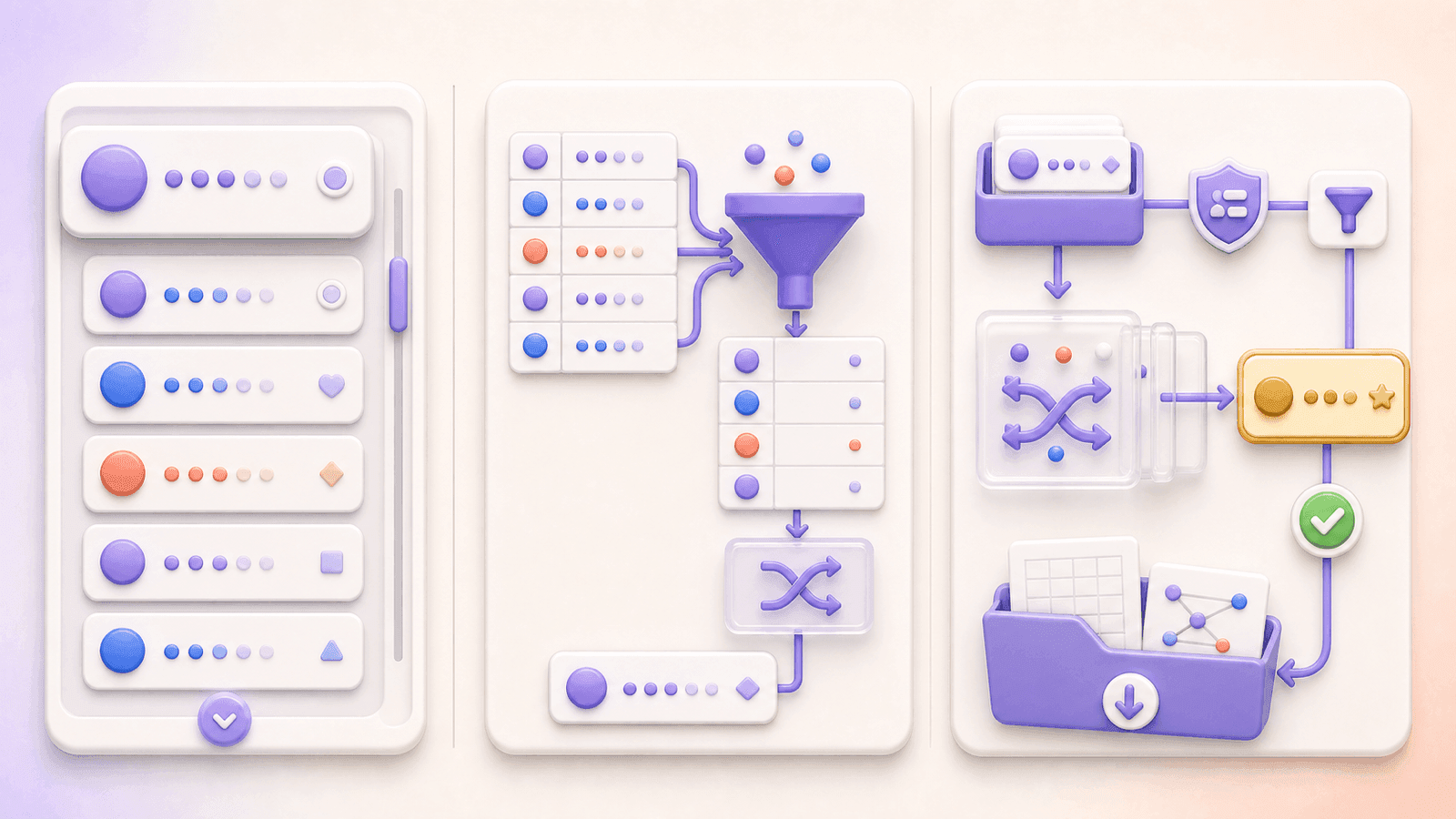
Un sélecteur dédié combine l'exportation des commentaires, l'examen des participations, le filtrage des doublons, la sélection aléatoire et des enregistrements téléchargeables. C'est généralement l'option la plus rapide lorsque le concours utilise les commentaires comme participations.
Comment annoncer clairement le gagnant
Suivez la méthode d'annonce décrite dans les règles. Vous pouvez répondre au commentaire gagnant, publier une vidéo TikTok de suivi, mettre à jour la légende, ou utiliser plusieurs de ces méthodes.
Une annonce utile comprend :
- Le nom d'utilisateur TikTok correct du gagnant
- Le compte officiel qui les contactera
- Le délai de réponse
- Un rappel qu'aucun paiement ni mot de passe n'est requis pour recevoir le prix
- La date ou le statut du tirage terminé
N'exposez pas de données inutiles sur les participants. Partagez suffisamment d'informations pour identifier le résultat et le processus sans publier l'ensemble des données exportées.
Erreurs courantes à éviter
Utiliser des règles vagues
« Commentez pour gagner » n'explique pas si les commentaires répétés comptent, si les mentions sont requises, ni quand les participations se terminent. Répondez à ces questions avant le lancement.
Traiter chaque commentaire répété comme une chance distincte
Cela peut récompenser le spam alors que votre intention était une participation par personne. Appliquez la politique de gestion des doublons indiquée dans vos règles.
Traiter chaque utilisateur répété comme une seule chance
L'inverse peut aussi être erroné. Si les règles promettaient une participation pour chaque commentaire qualifié, dédupliquer les utilisateurs après la date limite modifie la campagne.
Supposer que les données des commentaires prouvent chaque exigence
Les abonnements, les likes, les reposts et les actions hors plateforme nécessitent une vérification séparée. Un sélecteur aléatoire de commentaires ne doit pas être présenté comme les confirmant.
Tirer à partir d'une exportation non examinée
Des commentaires de test ou invalides peuvent entrer dans le pool si vous sautez le nettoyage. Examinez d'abord la liste, puis enregistrez la version finale utilisée pour la sélection.
Refaire un tirage sans raison documentée
Décidez à l'avance quand un suppléant remplace un gagnant. Conservez une note si cette procédure est utilisée.
Questions fréquentes
Le sélecteur de concours TikTok de CommentGrid est-il gratuit ?
Oui. L'outil Web peut récupérer les commentaires disponibles d'une vidéo TikTok publique, vous permettre d'examiner les participations et de sélectionner des gagnants aléatoires sans créer de compte.
Dois-je me connecter à TikTok ou installer une extension ?
Non. Collez l'URL d'une vidéo publique dans l'outil en ligne. Il ne nécessite pas de connexion TikTok ni d'installation de navigateur.
Puis-je choisir plusieurs gagnants TikTok ?
Oui. Vous pouvez sélectionner un ou plusieurs gagnants, selon vos règles de concours publiées.
Puis-je supprimer les commentateurs en double ?
Oui. L'outil peut filtrer les noms d'utilisateur en double. N'appliquez cette option que lorsque chaque participant doit avoir une seule participation.
Peut-il vérifier les abonnements, les likes ou les reposts ?
Non. Ces actions ne sont pas établies de manière fiable par la liste des commentaires exportée et doivent être vérifiées séparément lorsque vos règles l'exigent.
Puis-je télécharger les commentaires TikTok et le résultat du gagnant ?
Oui. CommentGrid prend en charge les téléchargements CSV et JSON pour la liste des commentaires, les participations filtrées et les enregistrements des gagnants.
Fonctionnera-t-il avec n'importe quelle vidéo TikTok ?
Il est conçu pour les vidéos publiques accessibles via une URL TikTok valide. Les vidéos privées, supprimées, restreintes ou indisponibles peuvent ne pas fonctionner.
Que se passe-t-il si le nombre de commentaires ne correspond pas à TikTok ?
Les comptes peuvent varier en raison de l'accessibilité de la plateforme, des commentaires supprimés ou modérés, des réponses et des conditions de traitement. Vérifiez la liste exportée avant le tirage et conservez le fichier comme enregistrement horodaté de ce qui était disponible.
Choisissez un gagnant parmi vos commentaires TikTok
Une fois les participations terminées, ouvrez le sélecteur de concours TikTok gratuit, collez l'URL de la vidéo publique, examinez les commentaires disponibles, appliquez vos règles de doublons et d'éligibilité, sélectionnez le gagnant et téléchargez les enregistrements.
CommentGrid est un outil indépendant : il n'est ni affilié à TikTok ni approuvé par TikTok.
 M
MMarshall Sun
Building CommentGrid to decode social conversations. Exploring the signal within the noise of the global social web.