9 min read
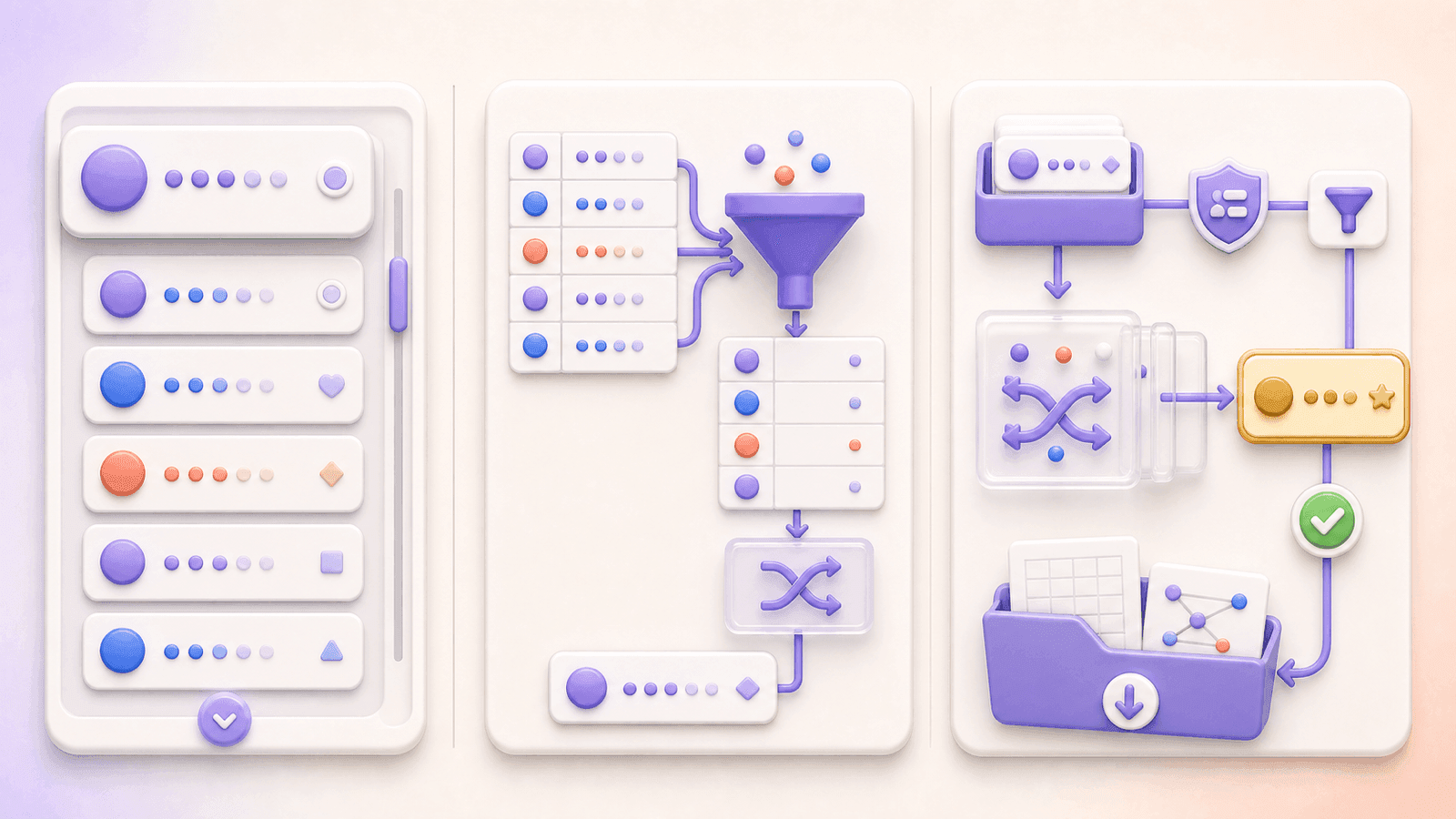
The simplest way to pick a TikTok giveaway winner is to export the available comments from the public video, remove invalid or duplicate entries according to your published rules, and run a random draw from the final list. Verify the selected person's eligibility before announcing the result, and keep a downloadable record of the entries and winners.
The free CommentGrid TikTok Giveaway Picker puts those steps in one web-based workflow. It requires no account or installation and can download the records as CSV or JSON.
How to pick a random TikTok comment winner
- Stop accepting entries at the date and time stated in your rules.
- Copy the public TikTok video URL.
- Paste it into the TikTok Giveaway Picker.
- Export and review the available video comments.
- Remove comments that do not meet the entry requirements.
- Filter duplicate usernames if the giveaway allows only one entry per person.
- Randomly select one or multiple winners.
- Verify any eligibility conditions not visible in the comment data.
- Download the entry list and winner results as CSV or JSON.
- Contact and announce the winner using the process in your rules.
A fair draw is not just a random click. It begins with clear terms and ends with a record that shows which entries were included.
Define the entry rules before the draw
Write the giveaway rules before you publish the video. At minimum, explain:
- Who can enter, including location or age requirements
- The start and end date, time, and time zone
- What someone must do to enter
- Whether one user gets one entry or multiple valid comments create multiple entries
- Whether a required word, answer, hashtag, or mention must appear in the comment
- How many main and backup winners will be chosen
- How the winners will be selected and contacted
- How long a winner has to reply
- What happens if a winner is ineligible or does not respond
- Prize details and any relevant restrictions or disclosures
Keep the rules accessible in the caption, a linked page, or another location clearly identified in the video. Review TikTok's current Terms of Service, its Community Guidelines, and the laws that apply to your campaign. This article is not legal advice.
Once entries have started, avoid changing rules that affect the odds. For example, switching from “every qualifying comment counts” to “one entry per user” would alter how existing participants are treated.
How to use CommentGrid's TikTok Giveaway Picker
1. Copy the TikTok video URL
Open the giveaway video, tap or click Share, and copy the link. The picker is intended for public TikTok videos that can be opened through a valid URL. Private, restricted, deleted, or unavailable videos may not be supported.
2. Export the comments
Open the TikTok Giveaway Picker, paste the URL, and start the export. CommentGrid retrieves structured entries from the available public video comments without requiring a TikTok login.
The resulting list can include:
| Field | How it helps with a giveaway |
|---|---|
| Comment text | Review answers, hashtags, mentions, or other entry requirements |
| Comment time | Check timing when a reliable timestamp is available |
| Author username | Identify participants and duplicate users |
| User profile URL | Return to the public account for eligibility review when available |
| Like count | Reference visible engagement, if relevant to your rules |
| Reply count | Identify conversations that may require review |
| Comment ID | Deduplicate and reference a specific comment |
The number of returned comments can differ from the count shown on TikTok because of deleted or moderated content, reply visibility, platform behavior, accessibility, or processing limits. Review the export before running an important or high-value draw.
3. Build the eligible entry list

Review comments against the terms you published. A repeatable cleanup order is:
- Exclude entries submitted after the deadline when the available timestamp supports that decision.
- Remove comments missing a required answer, hashtag, keyword, or mention.
- Remove participants who clearly fall outside the stated eligibility rules.
- Apply the duplicate policy described in your giveaway.
- Record the final number of eligible entries.
Keep an untouched copy of the original export. If a participant asks why an entry was excluded, your cleaned list should include a short, rule-based reason rather than a subjective judgment.
4. Handle duplicate TikTok comments consistently
Choose the duplicate policy that matches the published rules:
- One chance per person: filter duplicate usernames so each eligible user appears once.
- One chance per valid comment: retain multiple comments if you explicitly allowed multiple entries.
- Additional entries for different mentions or answers: check that each retained comment meets the additional-entry condition.
CommentGrid can filter duplicate usernames and lets you manually remove invalid entries. It cannot decide what your rules meant, so confirm the correct policy before drawing.
5. Pick the winner and backups
When the list is final, select one or more random winners from the reviewed pool. If your terms include backup winners, select and order them during the same session.
A backup should replace the primary winner only for a stated reason, such as failing an eligibility check or missing the response deadline. Do not redraw merely because another account would be more convenient or marketable.
6. Save the result
Download the final comment list and winner result as CSV or JSON. Keep:
- The giveaway video URL
- A copy of the published rules
- The original comment export
- The cleaned eligible entry list
- The primary and backup winner order
- The draw date
- Any verification, disqualification, or redraw notes
This record makes the selection easier to review with a teammate, sponsor, or participant. It is more useful than a winner screenshot without the underlying entry pool.
Verify the selected TikTok winner
The picker can select from comment entries, but some common requirements are not contained in comment data. It cannot reliably confirm that a user followed your account, liked the video, reposted it, or completed an action on another platform.
Before announcing a winner:
- Confirm the winning comment satisfies the published text-based requirements.
- Open the public profile when further review is needed.
- Check only the eligibility conditions you stated in advance.
- Contact the user through the method in the rules.
- Wait for the stated response period.
- If necessary, move to the first eligible backup and document why.
If a follow or like is difficult to verify reliably, consider using an entry condition that can be reviewed directly in the comment next time. Simple rules reduce disputes and manual work.
Three ways to choose a TikTok winner
1. Pick manually from the comment section
Manual scrolling is quick for a tiny informal draw, but it does not reliably handle duplicates or produce a reviewable entry list. The comments TikTok displays first may also be influenced by ranking rather than a random order.
2. Export comments to a spreadsheet
Use a TikTok comment exporter to create a spreadsheet, clean the list, number each eligible row, and use a random number function. This gives you detailed control but requires more manual preparation.
For a full walkthrough, read How to Export TikTok Comments.
3. Use a TikTok giveaway picker
A dedicated picker combines comment export, entry review, duplicate filtering, random selection, and downloadable records. It is usually the fastest option when the contest uses comments as entries.
How to announce the winner clearly
Follow the announcement method described in the rules. You might reply to the winning comment, publish a follow-up TikTok, update the caption, or use more than one of those methods.
A useful announcement includes:
- The winner's correct TikTok username
- The official account that will contact them
- The response deadline
- A reminder that no payment or password is required to receive the prize
- The date or status of the completed draw
Do not expose unnecessary participant data. Share enough to identify the result and process without publishing the complete exported dataset.
Common mistakes to avoid
Using vague rules
“Comment to win” does not explain whether repeat comments count, whether mentions are required, or when entries close. Resolve those questions before launch.
Treating every repeated comment as a separate chance
That may reward spam when your intention was one entry per person. Apply the duplicate policy stated in your rules.
Treating every repeated user as one chance
The reverse can also be wrong. If the rules promised an entry for each qualifying comment, deduplicating users after the deadline changes the campaign.
Assuming comment data proves every requirement
Follows, likes, reposts, and off-platform actions need separate verification. A random comment picker should not be described as confirming them.
Drawing from an unreviewed export
Test or invalid comments can enter the pool if you skip cleanup. Review the list first, then save the final version used for selection.
Redrawing without a documented reason
Decide in advance when a backup replaces a winner. Keep a note if that procedure is used.
Frequently asked questions
Is CommentGrid's TikTok Giveaway Picker free?
Yes. The web tool can retrieve available comments from a public TikTok video, let you review the entries, and select random winners without creating an account.
Do I need to log into TikTok or install an extension?
No. Paste a public video URL into the web-based tool. It does not require a TikTok login or browser installation.
Can I pick multiple TikTok winners?
Yes. You can select one or multiple winners, depending on your published giveaway rules.
Can I remove duplicate commenters?
Yes. The tool can filter duplicate usernames. Apply that option only when each participant is meant to have one entry.
Can it verify follows, likes, or reposts?
No. Those actions are not reliably established by the exported comment list and must be checked separately when required by your rules.
Can I download the TikTok comments and winner result?
Yes. CommentGrid supports CSV and JSON downloads for the comment list, filtered entries, and winner records.
Will it work with any TikTok video?
It is intended for public videos accessible through a valid TikTok URL. Private, deleted, restricted, or unavailable videos may not work.
What if the comment count does not match TikTok?
Counts can vary because of platform accessibility, deleted or moderated comments, replies, and processing conditions. Check the exported list before drawing and keep the file as a timestamped record of what was available.
Pick a winner from your TikTok comments
After entries close, open the free TikTok Giveaway Picker, paste the public video URL, review the available comments, apply your duplicate and eligibility rules, select the winner, and download the records.
CommentGrid is an independent tool and is not affiliated with or endorsed by TikTok.
 M
MMarshall Sun
Building CommentGrid to decode social conversations. Exploring the signal within the noise of the global social web.