🚀 全新功能:將社群留言轉化為購買訊號與內容靈感
取得擴充功能

How to Pick a Random Winner from Facebook Comments

byMarshall SuenAug 12, 202614 min read
How to Pick a Random Winner from Facebook Comments

The fairest way to pick a random winner from Facebook comments is to collect the comments from a public post, remove duplicate or ineligible entries, review the final participant list, and run a random draw from that fixed pool.

With the free CommentGrid Facebook Comment Picker, you can paste a public Facebook post URL, review available comments, clean up duplicate entries, select one or multiple winners, and download CSV or JSON records, all without logging in to Facebook.

The Short Version: Pick a Facebook Winner in 7 Steps

If your giveaway has already closed, follow this workflow:

  1. Confirm the giveaway deadline and eligibility rules.
  2. Copy the URL of your public Facebook giveaway post.
  3. Paste it into the Facebook Comment Picker.
  4. Collect and export the available comments.
  5. Remove duplicates and review ineligible entries.
  6. Pick the winner (or winners) from the final participant pool.
  7. Save the results and verify the winner before announcing them.

The important part is not simply clicking a random button. It is making sure the list going into the draw accurately represents your giveaway rules.

Pick a winner from Facebook comments →

Why Manual Facebook Winner Selection Is Usually a Bad Idea

Manually scrolling through comments and stopping on a name may feel random, but it creates several problems.

The visible comments may not represent the full entry pool

Facebook sorts and loads comments dynamically. The comments you happen to see first may be the most relevant, newest, or most active—not a neutral list of every eligible entry.

Repeat commenters may receive an unfair advantage

If one person comments ten times, should that person receive ten entries or one?

There is no universally correct answer. It depends on the rules you published. The mistake is allowing repeat comments to affect the odds without deciding in advance whether they should.

You cannot easily explain how the winner was selected

"Trust me, I scrolled randomly" is not a strong audit trail. A saved source list, filtered participant pool, and winner record make the process easier to defend if someone questions the result.

Rule-breaking comments can enter the draw

A randomly selected comment may have been posted after the deadline, may be missing a required answer, or may belong to someone excluded by your official rules.

Random selection only works fairly when the participant pool is correct first.

Before the Draw: Freeze Your Facebook Giveaway Rules

Do not change the eligibility criteria after seeing who entered or who was selected.

Before loading the comments, write down the rules you will apply:

  • The exact Facebook post used for the giveaway
  • The closing date, time, and time zone
  • Age or location restrictions
  • Whether each person receives one entry or one entry per comment
  • Whether the comment must contain a specific answer, word, or hashtag
  • Whether replies count as entries
  • Whether Page administrators, employees, sponsors, or previous winners are excluded
  • The number of winners and backup winners
  • How long a winner has to respond
  • What happens when a winner is ineligible or does not claim the prize

This creates a fixed decision framework. You can then apply the same rules to everyone instead of making judgment calls after the draw.

How to Pick a Random Winner from Facebook Comments

Step 1: Copy the Facebook post URL

Open the Facebook post containing your giveaway and copy its direct URL.

The post must be public and accessible for comment collection. Private posts, friends-only posts, closed events, and private Facebook Groups cannot be processed through a public URL.

Before continuing, check that you copied the original post URL rather than a notification, shortened share link, or unrelated Page URL.

Step 2: Open the Facebook Comment Picker

Go to the free Facebook Comment Picker and paste the post URL into the input field.

CommentGrid does not require you to sign in to Facebook or connect your Facebook account. It works from the public post URL, which avoids adding an account-authorization step to the draw.

Start the collection process and allow the tool to retrieve the comments that are available from the post.

Step 3: Export the original comment list

Before removing anything, save a copy of the original data.

Depending on the information available on the post, the export can include:

  • Comment text
  • Comment date
  • Author name
  • Comment likes
  • Reply count
  • Direct comment URL
  • Author profile URL

Saving the source export protects the integrity of the process. If someone later asks why an entry was included or removed, you can refer to the original list instead of relying on memory.

For more detail about working with exported Facebook comment data, see the complete guide to exporting Facebook comments.

Step 4: Decide how duplicate entries should count

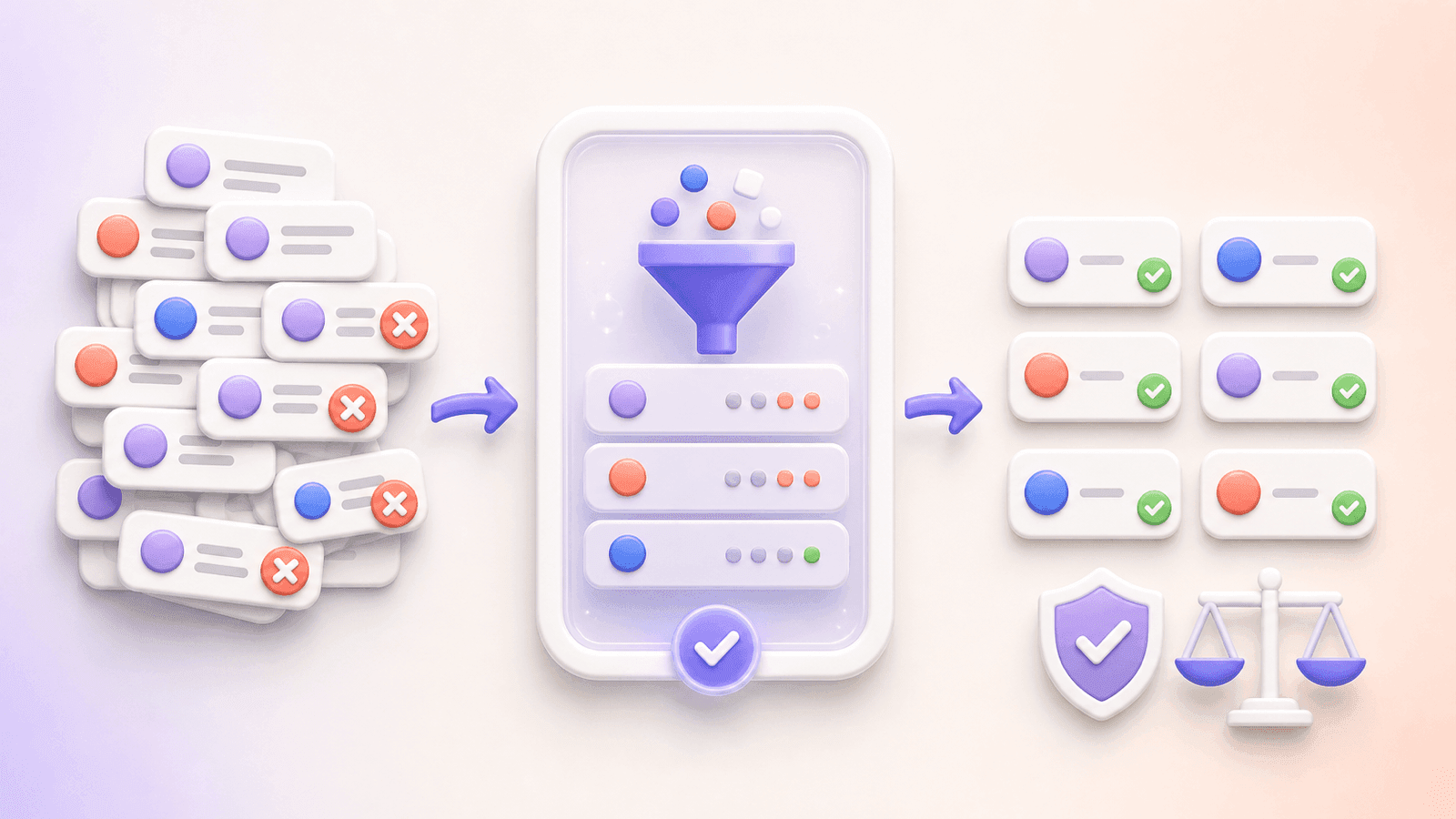
3D workflow showing duplicate removal from Facebook giveaway comments before verified eligible participants enter a fair draw. Duplicate handling is one of the most important fairness decisions in a comment giveaway.

One person, one entry

Use this approach when your rules say that each participant may enter once.

Keep one eligible entry per person and remove additional comments from the participant pool. This prevents frequent commenters from receiving better odds than everyone else.

One eligible comment, one entry

Use this approach only when your published rules explicitly allow multiple entries.

Each qualifying comment remains in the draw. Someone who leaves five valid comments will therefore have five chances to win.

Neither approach is inherently more random than the other. Fairness comes from publishing the rule in advance and applying it consistently.

Step 5: Review the final participant pool

Removing duplicates is not the same as verifying eligibility.

Review the exported list against the rules you established before the draw. Depending on your giveaway, check for:

  • Comments submitted after the closing time
  • Missing required words or answers
  • Entries from excluded accounts
  • Obvious spam
  • Comments that do not satisfy the published entry instructions
  • Entries from an ineligible country or age group, when that information can be verified
  • Deleted or unavailable comments

Some conditions cannot be verified from comment data alone. If your rules require information that the export does not provide, complete that check manually before confirming a winner.

Save the cleaned participant list separately from the original export. A simple naming convention works well:

  • facebook-giveaway-original-comments.csv
  • facebook-giveaway-eligible-entries.csv
  • facebook-giveaway-winners.csv

Step 6: Pick the winner and backups

Once the participant pool is final, select the required number of winners.

CommentGrid can select one or multiple random winners from the reviewed entries. If your giveaway has one main prize, consider drawing at least one backup winner at the same time.

A backup winner is useful when the first winner:

  • Does not respond before the claim deadline
  • Cannot prove eligibility
  • Lives outside the permitted area
  • Broke an entry rule
  • Declines the prize

Keep backup winners in their original order. Do not repeatedly redraw until a preferred name appears.

Step 7: Save the draw records

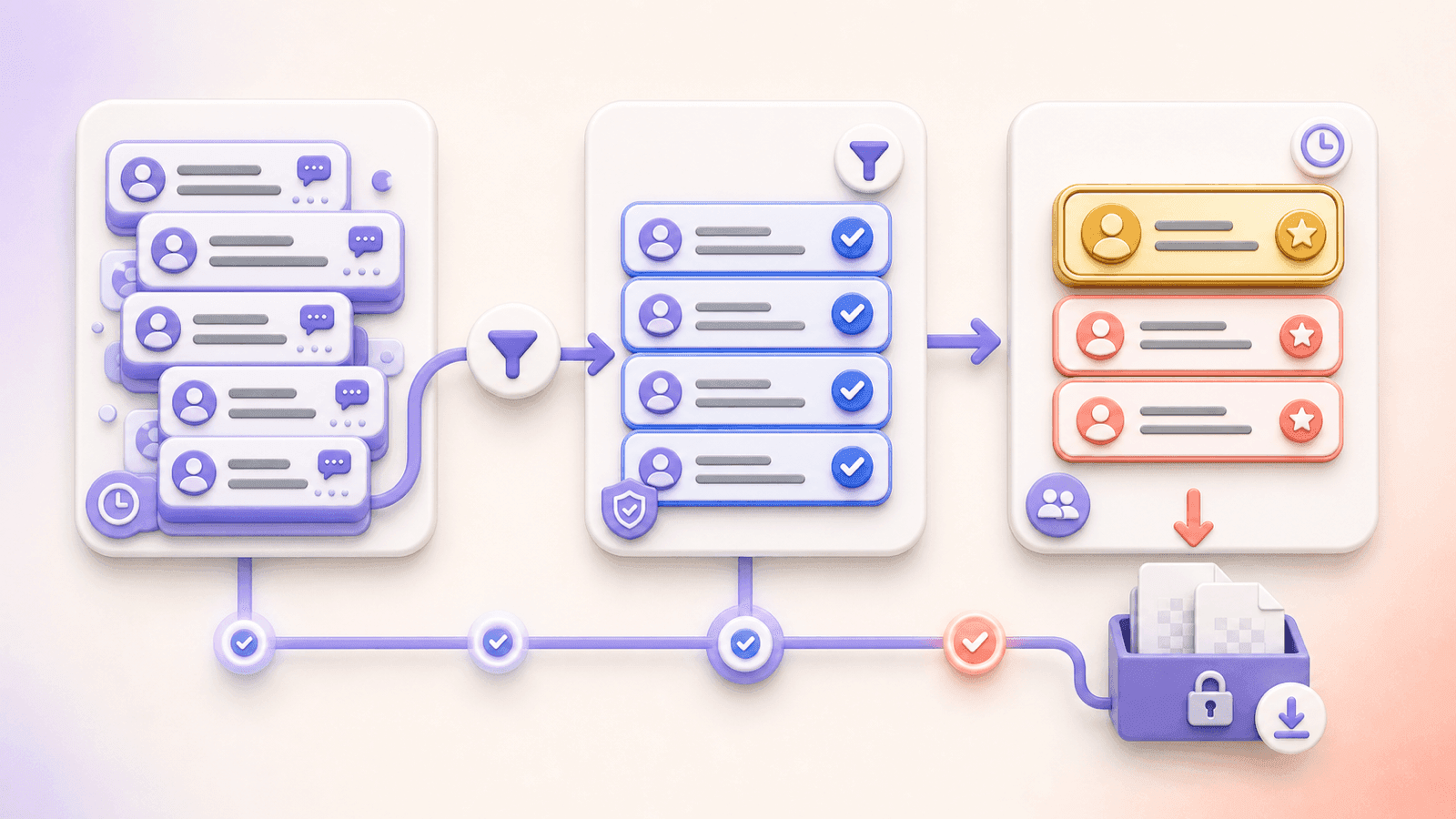
Auditable Facebook giveaway draw showing comments filtered into eligible entries, one winner, two backups, and saved records.

Download the winner results with the original and filtered entry records.

A useful giveaway record should contain:

  • The original Facebook post URL
  • The official giveaway rules
  • The entry deadline and time zone
  • The original comment export
  • The final eligible participant list
  • The duplicate-handling rule
  • The selected winner and backups
  • The date and time of the draw
  • Any eligibility checks performed after selection
  • The final winner announcement

You can also screen-record the draw for additional transparency. A recording is helpful, but it should complement the saved participant data rather than replace it.

Verify the Winner Before Announcing Them

Randomly selected does not automatically mean eligible.

After the draw, verify the selected winner against every rule you can reasonably check. Confirm that:

  • Their comment was submitted before the deadline
  • Their entry meets the published requirements
  • They are not on an exclusion list
  • They satisfy age and location requirements where applicable
  • Their comment still exists
  • They can receive the prize legally and practically

Contact the winner using the process described in your rules. Give them a specific claim period (48 or 72 hours, for example) and be cautious about impersonation scams.

Avoid asking winners to post sensitive personal information publicly. Move shipping details, email addresses, identification, or other private information to an appropriate private channel.

If the first winner is ineligible or does not respond, document the reason and move to the first backup winner.

How to Announce a Facebook Giveaway Winner Transparently

A good winner announcement should close the loop for everyone who entered.

Include:

  • The winner's public Facebook name or handle
  • The giveaway post
  • The date the draw was completed
  • A short explanation of the selection process
  • The number of eligible entries
  • A reminder that eligibility was checked
  • The claim deadline
  • A warning about fake accounts impersonating your Page

Example:

Congratulations to [Winner Name], randomly selected from [number] eligible Facebook comments. We exported the entries, removed duplicates according to the published rules, reviewed the final participant pool, and completed the random draw on [date]. The winner has [number] hours to respond. Please ignore messages from accounts pretending to represent our Page.

Do not publish the winner's email address, shipping address, phone number, or other personal information.

Facebook Giveaway Rules You Should Know

Running the draw fairly does not replace the need to operate the promotion lawfully.

Under Meta's policies for promotions on Facebook, the organizer is responsible for:

  • Publishing official rules
  • Providing eligibility and offer terms
  • Following applicable laws and regulations
  • Including a release of Facebook
  • Stating that Facebook does not sponsor, endorse, administer, or associate itself with the promotion

Meta's policies also state that personal Timelines and friend connections must not be used to administer a promotion. Examples Meta identifies as prohibited include requiring people to share a post on their Timeline or tag friends in the promotion post to enter.

A basic disclosure might read:

This promotion is not sponsored, endorsed, administered by, or associated with Facebook. By entering, participants agree to release Facebook from responsibility related to this promotion. Eligibility, entry deadlines, prize details, and winner-selection procedures are described in the official rules.

This is a general example, not legal advice. Promotion, sweepstakes, tax, registration, and privacy requirements differ by jurisdiction. Review current Meta terms and applicable local laws before launching a giveaway.

Facebook Comment Picker vs. Manual and Spreadsheet Methods

MethodAdvantagesLimitationsBest for
Scroll and pointNo setupBiased by comment order; poor audit trail; difficult with large postsVery small informal draws
Copy comments manuallyMore control than scrollingSlow; easy to miss entries; formatting errorsSmall posts with few comments
Export to a spreadsheet and use RAND()Reviewable data; flexible filteringRequires spreadsheet cleanup and careful row handlingTeams comfortable with Excel or Google Sheets
Facebook Comment PickerCollects comments, handles duplicate review, selects winners, and saves recordsRequires a public and accessible postMost Facebook comment giveaways

If you use the spreadsheet method, freeze the final participant list before generating random values. Spreadsheet random formulas can recalculate whenever the file changes, so save a fixed copy of the result.

Common Mistakes That Make a Facebook Draw Look Unfair

Changing the rules after entries close

Do not introduce a new filter because you dislike the selected entry. Apply only the criteria stated in the official rules.

Treating every comment as a separate entry by accident

Decide whether the giveaway is "one person, one entry" or "one comment, one entry" before the draw.

Picking before saving the original comments

Export first. The original data gives you a reference if comments are edited, deleted, or disputed later.

Removing entries without documenting why

Keep the original list and record the reason for exclusions. Do not silently delete participants from the only copy of the data.

Confirming the winner before checking eligibility

Always verify the selected entry before publishing the final announcement.

Repeating the draw without a documented reason

A redraw should happen only under the conditions written in your rules, such as an ineligible winner or an expired claim deadline.

Relying only on a screen recording

A video can show that you clicked a button, but it may not prove that the entry pool was complete or correctly filtered. Keep the exported data as well.

Troubleshooting: Why Won't My Facebook Post Load?

If the comment picker cannot access your post, check the following.

The post is not public

Private posts, friends-only posts, private groups, and closed events are not accessible through the public workflow.

You copied the wrong link

Open the original Facebook post and copy its direct URL. Avoid links copied from notifications or links that only point to a Page.

The post or comments are unavailable

Deleted posts, removed comments, country or age restrictions, and other Facebook visibility settings may prevent access.

The comment count looks unexpected

Compare the collected data with the post before running the draw. Facebook may display replies, hidden comments, or deleted content differently from the exported entry list. Resolve any material discrepancy before picking the winner.

Frequently Asked Questions

How do I randomly pick a winner from Facebook comments?

Copy the URL of a public Facebook giveaway post, paste it into a Facebook comment picker, collect the available comments, remove duplicate or ineligible entries, review the participant pool, and run the random draw. Save the original comments, filtered entries, and winner results.

Is there a free Facebook comment picker?

Yes. CommentGrid provides a free basic workflow for collecting comments from a public Facebook post, reviewing duplicate entries, picking random winners, and downloading giveaway records.

Can I use a Facebook comment picker without logging in?

Yes. CommentGrid's Facebook Comment Picker works by pasting a public Facebook post URL, so the tool workflow does not require a Facebook login or account connection.

Can I pick multiple winners from Facebook comments?

Yes. You can select multiple random winners from the reviewed participant list. It is also useful to select ordered backup winners in case the primary winner is ineligible or does not claim the prize.

Can I remove duplicate Facebook comments before the draw?

Yes. Duplicate filtering helps identify repeat participants so you can decide whether each person receives one entry or whether every eligible comment counts separately.

Can I pick a winner from a private Facebook Group?

No. The public URL workflow cannot collect comments from private groups, friends-only posts, closed events, or other content that is not publicly accessible.

Can the picker confirm that someone liked or followed my Page?

Comment data does not necessarily provide every signal required to verify Page likes, follows, purchases, age, or location. Check any condition that is not available in the exported data manually before confirming the winner.

Should replies count as giveaway entries?

Only if your published rules say they do. Decide whether replies, top-level comments, or both are eligible before exporting and filtering the participant list.

What happens if the selected winner is ineligible?

Document the reason for disqualification and select the next previously drawn backup winner. If you did not select backups, rerun the draw from the same saved participant pool and record why the redraw occurred.

How can I prove that my Facebook giveaway was fair?

Keep the official rules, original comment export, cleaned participant list, duplicate-handling method, winner results, draw timestamp, and eligibility check. A screen recording or public announcement can provide additional transparency.

Pick Your Facebook Giveaway Winner

A fair Facebook giveaway draw has three parts:

  1. Collect the entries.
  2. Review the participant pool.
  3. Select and document the winner.

Skipping the review step turns a random draw into a random choice from potentially incorrect data. Exporting first makes the process easier to check, explain, and repeat.

Use the free Facebook Comment Picker to collect comments from a public post, clean duplicate entries, pick one or multiple winners, and save CSV or JSON records of the draw, without connecting your Facebook account.

Marshall SuenM

Marshall Suen

Building CommentGrid to decode social conversations. Exploring the signal within the noise of the global social web.

相關文章

查看所有文章