Instagram Engagement Rate Calculator
Calculate your Instagram engagement rate with a clear formula using followers, likes, comments, shares, and saves. No AI guessing or hidden scoring.

Measure Engagement Before You Guess.
Calculate comment-driven engagement rates and compare content performance faster with CommentGrid.
Add to Chrome Add to Chrome
How to calculate Instagram engagement rate
Enter your Instagram metrics and get the percentage in three steps.

Enter follower count
Add the Instagram account’s follower count. This is the denominator used in the engagement rate formula.

Add engagement metrics
Enter likes, comments, shares, and saves from one post or from an average across recent posts. Shares and saves can be left blank if unavailable.

Review the result
Calculate the percentage and check the displayed formula so you can understand exactly how the engagement rate was produced.
When this calculator is useful
Built for quick Instagram engagement checks with clear math.
 Compare posts with the same formula
Use one consistent calculation across posts, creators, or campaign reports so the result is easier to compare and explain.
- Follower-based formula
- Consistent calculation
- Clear percentage output

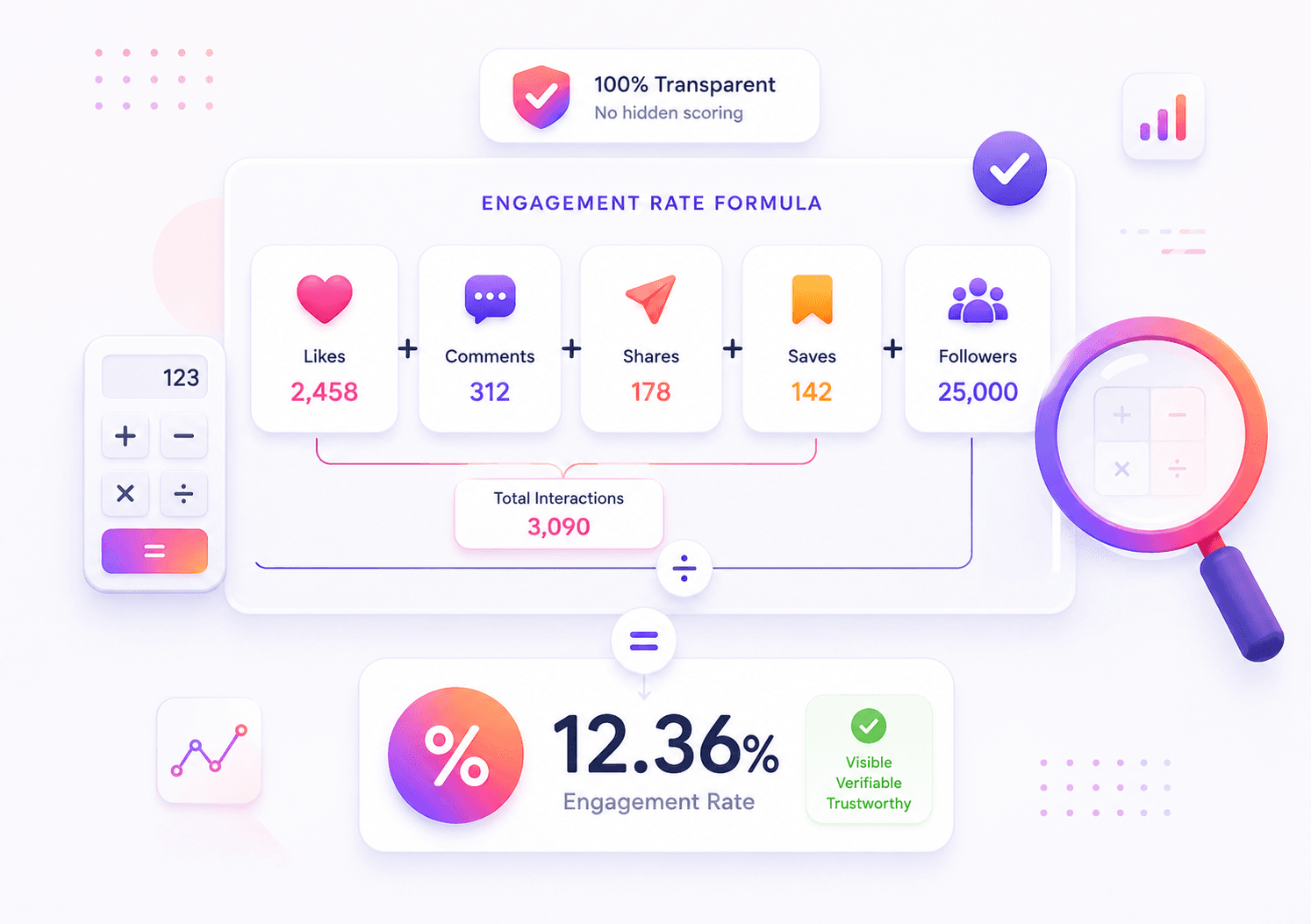
 Understand exactly how results are calculated
Some tools use reach, impressions, or private scoring models. This calculator keeps the formula, denominator, and inputs visible.
- No hidden algorithm
- Formula shown on page
- Manual inputs only

 Check creator or brand performance
Use the result as a simple directional metric when reviewing Instagram posts, influencer profiles, or campaign engagement.
- Creator review
- Campaign reporting
- Post-level checks
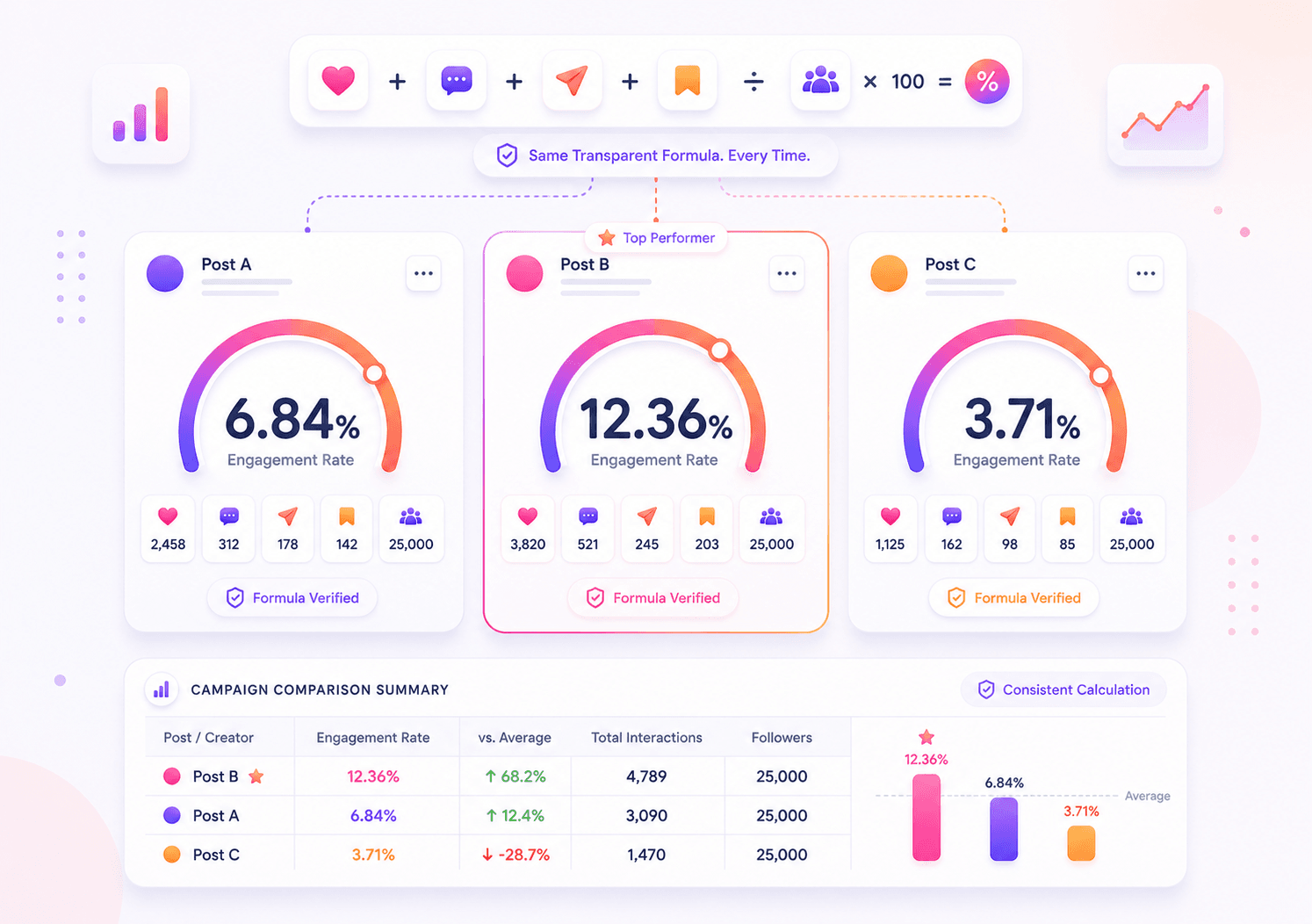
Why use this Instagram engagement calculator?
Visible formula
See the exact calculation on screen: likes, comments, shares, and saves divided by followers, then multiplied by 100.
Flexible inputs
Use required likes, comments, and followers, then add shares and saves when you have those Instagram metrics available.
Instant percentage result
Get a clean engagement rate percentage immediately, plus a simple range label based on the values you entered.
No hidden scoring
This is a deterministic calculator, not an AI estimate. The same Instagram metrics always produce the same result.
Instagram engagement rate FAQs
Direct answers about the formula, inputs, and how to read the result.
How is Instagram engagement rate calculated?
This calculator uses: (likes + comments + shares + saves) / followers × 100. Enter your Instagram metrics, and the tool returns the engagement rate as a percentage.
What metrics are included in this Instagram engagement rate formula?
The formula includes likes, comments, shares, saves, and followers. Likes, comments, and followers are required. Shares and saves are optional and count as zero if left blank.
Why do Instagram engagement calculators show different results?
Different tools may divide engagement by followers, reach, impressions, or views. This calculator uses followers as the denominator and shows the formula clearly.
Can I calculate Instagram engagement rate manually?
Yes. Add likes, comments, shares, and saves, divide the total by followers, then multiply by 100. This calculator simply does the arithmetic for you.
Should I use one post or an average across posts?
Both options work. Use one post for a quick post-level check, or average recent posts if you want a broader view of account engagement.
Does follower count affect engagement rate?
Yes. Follower count is the denominator. If two posts have the same interactions, the account with more followers will usually show a lower percentage.
What is a good Instagram engagement rate?
A good Instagram engagement rate depends on audience size, niche, content type, and posting style. This calculator shows your engagement rate using a follower-based formula, but there is no single percentage that applies to every Instagram account.
Does this calculator use AI?
No. This is a formula-based calculator. It does not guess, score, or infer hidden metrics from your Instagram account.
Does CommentGrid store the numbers I enter?
No. The calculator is designed for quick manual input and formula-based calculation. It does not require account access or Instagram login.
More Tools

Instagram Comment Exporter
Download comments to Excel/CSV instantly. Essential for KOL campaign reporting and data backup.

Instagram Hashtag Generator
Free AI Instagram hashtag generator for creating tailored, copy-ready hashtag sets by topic, goal, and style.

Instagram Follower Exporter
Export Instagram followers from a public profile, review and clean the list, and download follower data as CSV or JSON.