 Add to Chrome


 Export
 Pick a Winner
 Analysis



Opportunity
Top opportunities
See what your audience is asking for, buying, or expecting next.
Export comments from Instagram, TikTok, Facebook, and YouTube to CSV or Excel, analyze them with AI, and pick giveaway winners.
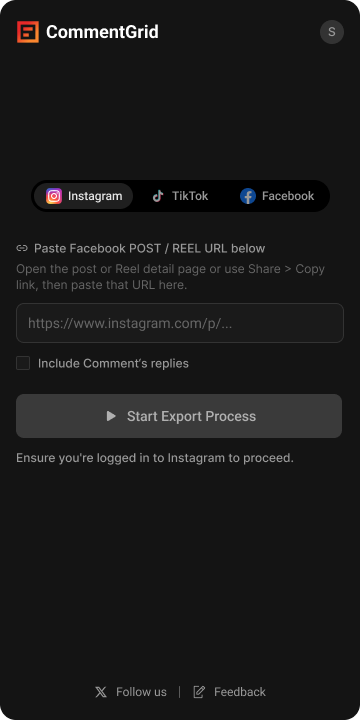
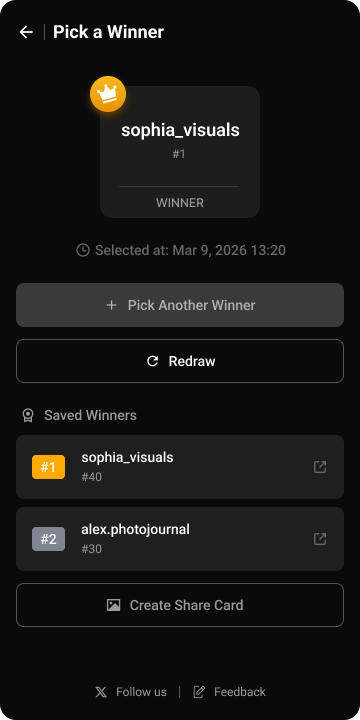
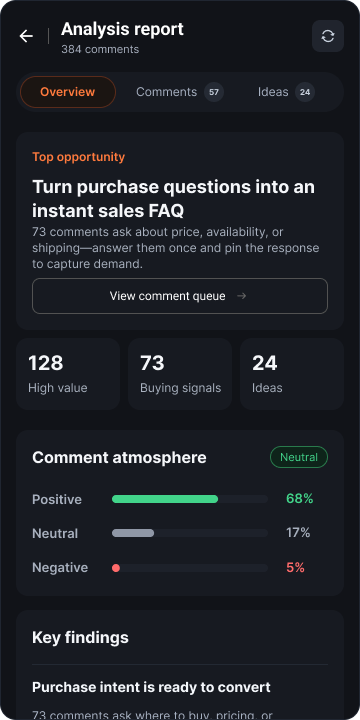
Run trusted extractions, analyze sentiment, and select winners fairly. Turn raw social chatter into ready-to-present insights across marketing, product, and CX in minutes.
Streamline Contests & Giveaways
Running a viral giveaway? Don't waste hours manually counting entries. CommentGrid allows Creators and Influencers to download every single comment, filter out duplicates, and randomly select winners with complete transparency. Turn chaotic engagement into a smooth, verifiable process.
Open social toolset
Analyze Sentiment & Trends
Stop scrolling through endless feeds. Export thousands of comments to Excel or CSV to perform deep sentiment analysis. Marketers and Brand Managers can easily filter keywords, identify customer pain points, and understand exactly how the audience feels about their content or products.
Check live runs
Unlock Competitive Intelligence
You don't just have to analyze your own posts. Use CommentGrid to export comments from top-performing videos in your niche. Strategists and Researchers can study what viewers are asking for on competitor channels to find gaps in the market and fuel their next content idea.
Tag comment sets
Unified Multi-Platform Support
CommentGrid streamlines your workflow by letting you export and analyze comments from Instagram, TikTok, Facebook, and YouTube in one place.
Explore reporting flows
AI ANALYSIS REPORT
CommentGrid turns raw social comments into clear signals your team can act on: what people want, what blocks conversion, and what to create next.
See what your audience is asking for, buying, or expecting next.

Understand whether comments are positive, neutral, or negative at a glance.

Turn repeated comments into clear takeaways your team can act on.

Spot questions about price, availability, shipping, links, and purchase intent.

Find what viewers want you to explain, compare, review, or create next.

Catch trust issues, confusion, complaints, or blockers before they hurt conversion.
Start with proven setups for campaign retrospectives and influencer reporting.
Free Instagram giveaway picker to export comments, filter entries, remove duplicates, and pick random winners with downloadable CSV/JSON results.
OtherGenerate four replies to an Instagram comment. Choose a tone, copy your favorite, and personalize it before posting.
How teams design dashboards, monitor influencer quality, and pull signal from comment sections.
Explore 30 highly commented Instagram posts ranked by comment count, with original post links and insights from 15,000 comments analyzed using CommentGrid.
InstagramFind Christmas giveaway ideas for Instagram by budget and business type, with comment prompts, a campaign timeline, caption copy, and winner announcement tips.
Learn how to export comments, analyze audience feedback, and pick giveaway winners with CommentGrid.

CommentGrid helps you export social media comments, analyze audience feedback with AI, and pick giveaway winners. Use it to organize comments for reporting, understand what your audience is saying, or review entries for a comment-based giveaway.
CommentGrid supports Instagram, TikTok, Facebook, and YouTube. Supported posts, videos, export fields, and available features vary by platform and content type. See our [comment exporter](https://commentgrid.com/comment-exporter) for an overview.
No coding skills are required. Install the CommentGrid extension in desktop Chrome, open a supported post or video, and use the side panel to export comments, run AI analysis, or pick giveaway winners. You can also try our [free web tools](https://commentgrid.com/tool) without installing the extension.
You can install CommentGrid for free and sign up to receive 300 free credits. Credits are used for comment exports and AI analysis. When you need more, you can buy a credit pack without a monthly subscription. Unused credits never expire. See [pricing and credits](https://commentgrid.com/pricing) for details.
For the CommentGrid extension, the free plan supports up to 100 comments per export, and all paid credit packs support up to 5,000 comments per export. Larger packs provide more credits without increasing the per-export limit. The number returned also depends on your available credits and the comments accessible from the platform.
Yes. The CommentGrid extension supports Excel (.xlsx), CSV, and JSON downloads. To work with your comments in Google Sheets, download a CSV or Excel file and import it into your spreadsheet. Available export fields vary by platform.
A post’s displayed comment count may differ from the comments available to export. Some comments or replies may be hidden, deleted, or unavailable under the platform’s current access conditions. Your export limit and available credits can also affect the number collected. Check the exported records to see which comments and replies are included.
CommentGrid can summarize audience sentiment, recurring themes, buying signals, common questions, and objections. It can also suggest content ideas based on the comments analyzed. AI findings help you identify patterns, but you should review the original comments when making decisions. Explore [AI comment analysis](https://commentgrid.com/comment-analysis).
Yes. CommentGrid lets you review collected comments, apply supported entry rules, and randomly select giveaway winners. If your giveaway requires participants to follow your account, verify the selected winner’s follow status manually before announcing the result. Learn more about the [giveaway picker](https://commentgrid.com/giveaway-picker).
Your export and analysis history is stored for 7 days on the free plan and 30 days with a paid credit pack. Download any files you want to keep before your history expires.