Pick a Random Winner from YouTube Comments
Pick a random winner from YouTube comments with a clear giveaway workflow. Export comments from a public video, filter eligible entries, review the list, and download CSV or JSON records after the draw.
YouTube Video URL



Analyze Comments, Not Just Export Them.
Use the CommentGrid Extension to turn Instagram, TikTok, and Facebook comments into buyer signals, reply queues, and content ideas in minutes.
Add to Chrome Add to Chrome
How to Pick a Random YouTube Comment Winner
Run a YouTube giveaway draw in three clear steps

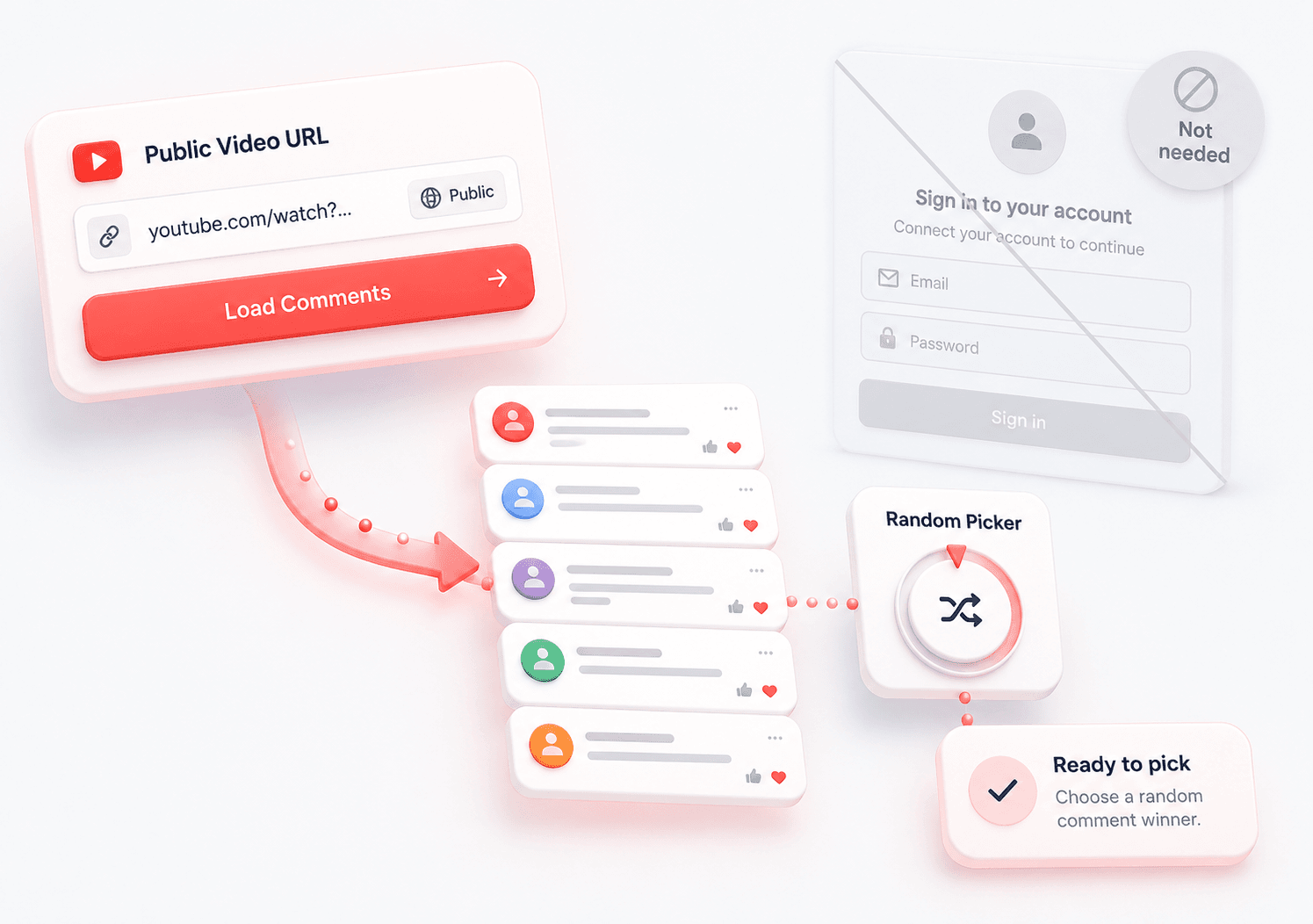
Paste the YouTube Video URL
Copy the link to a public YouTube video and paste it into the tool. Add a keyword filter if your giveaway requires a phrase such as #giveaway.

Export and Review Comments
Load the available comments, filter the entry list, and review participants before the draw. This helps you remove spam, irrelevant comments, or entries that do not match your rules.

Pick a Random Winner
Use the random picker to select one winner from the reviewed list, then download CSV or JSON records for transparency and follow-up.
What data is included
| Field | Description |
|---|---|
| Comment text | The full body of each YouTube comment. |
| Published time | The visible publish time text returned by YouTube. |
| Author handle | The public channel handle or author name. |
| Likes / votes | The visible vote count associated with the comment. |
| Replies count | The reply count reported for the comment. |
| Comment URL | A deep link to the YouTube comment when available. |
| Author profile URL | A link to the commenter channel or profile. |
Why Use This YouTube Random Comment Picker?
Built for creator giveaways that need a reviewable winner selection flow
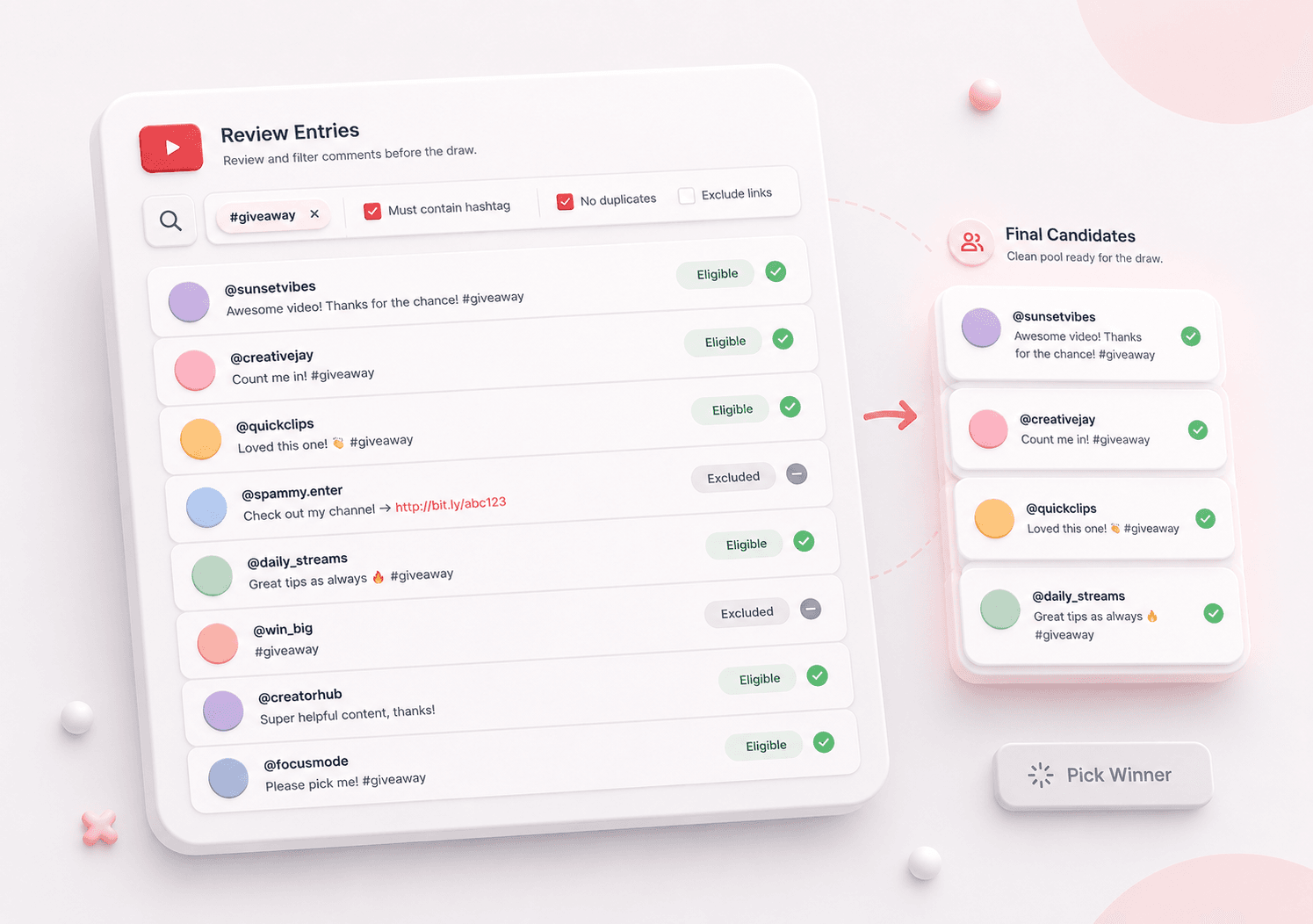
 Review Entries Before Picking
A giveaway picker is more useful when you can check the comment list first. Export and review YouTube comments before running the random draw.
- Export comment entries
- Filter by keyword
- Review before the draw

 Make Winner Selection Easier to Explain
Instead of picking from an unseen list, you can show that the winner came from a reviewed set of eligible YouTube comments.
- Clear draw workflow
- Reviewed participant list
- Downloadable records
 Save Giveaway Records
Keep CSV or JSON files after the draw so you can document the exported comments, the selected winner, and the process used for your campaign.
- CSV export
- JSON backup
- Reusable records

YouTube Comment Picker Features
Pick a Random YouTube Comment Winner
Select one random winner from your reviewed YouTube comment list, ideal for giveaways, contests, and creator campaigns.
Export Comments Before the Draw
Paste a public YouTube video URL and export recent comment data, including author, comment text, date, and engagement fields when available.
Filter and Review Eligible Entries
Use keyword filtering to narrow the list, then review comments before the random draw so spam or ineligible entries do not distort the result.
Download CSV or JSON Records
Save the exported comment list and winner result as CSV or JSON for giveaway documentation, team review, or later reference.
YouTube Random Comment Picker FAQ
Answers about picking random winners from YouTube comments
What is a YouTube Random Comment Picker?
A YouTube Random Comment Picker is a tool that selects a random winner from comments on a YouTube video. This tool adds an export and review step so you can check eligible entries before running the draw.
How do I pick a random winner from YouTube comments?
Paste a public YouTube video URL, export the available comments, apply any keyword filter you need, review the list, and click the random picker to select one winner.
How many comments can I export?
The tool can export up to 1,000 recent comments from a public YouTube video, depending on video access, comment availability, and platform limits.
Can I filter YouTube comments before picking a winner?
Yes. You can use a keyword filter to narrow entries, such as requiring a giveaway hashtag, phrase, or campaign keyword before selecting a random winner.
Can I remove spam or duplicate comments?
You can review the exported comment list before the draw and exclude entries that do not match your giveaway rules. This helps reduce spam, irrelevant comments, or duplicate-style participation.
Is the winner selection random?
Yes. The tool randomly selects one entry from the reviewed comment list. The final result depends on the comments exported and the filters or exclusions applied before the draw.
Can I pick multiple YouTube giveaway winners?
The tool is designed to pick one winner per run. To pick additional winners, remove or exclude the previous winner from the reviewed list and run the picker again.
Does this work on private or unlisted YouTube videos?
No. The tool is intended for public YouTube videos with accessible comments. Private videos, restricted videos, or unavailable comment sections cannot be processed.
Do I need to sign in with YouTube?
No. You do not need to connect a YouTube account to use the picker. Paste a public video URL, export the available comments, and run the random draw.
More Tools

TikTok Comment to CSV Exporter
Free TikTok Comment to CSV Exporter. Export public TikTok video comments to CSV or JSON, review rows, and download clean comment data.

Instagram Comment Exporter
Download comments to Excel/CSV instantly. Essential for KOL campaign reporting and data backup.

Facebook Comment Picker
Free Facebook Comment Picker for giveaways. Export comments, filter duplicates, pick random winners, and download CSV/JSON records.