8 min read
Choosing a Facebook comment scraper starts with a question: are you reviewing a public discussion, or building an integration for a Page you manage?
A marketer comparing reactions to public campaign posts may need a usable sample and source links. A developer connecting a client's Page to a reporting system needs authorization, repeatable requests, and a way to handle failures.
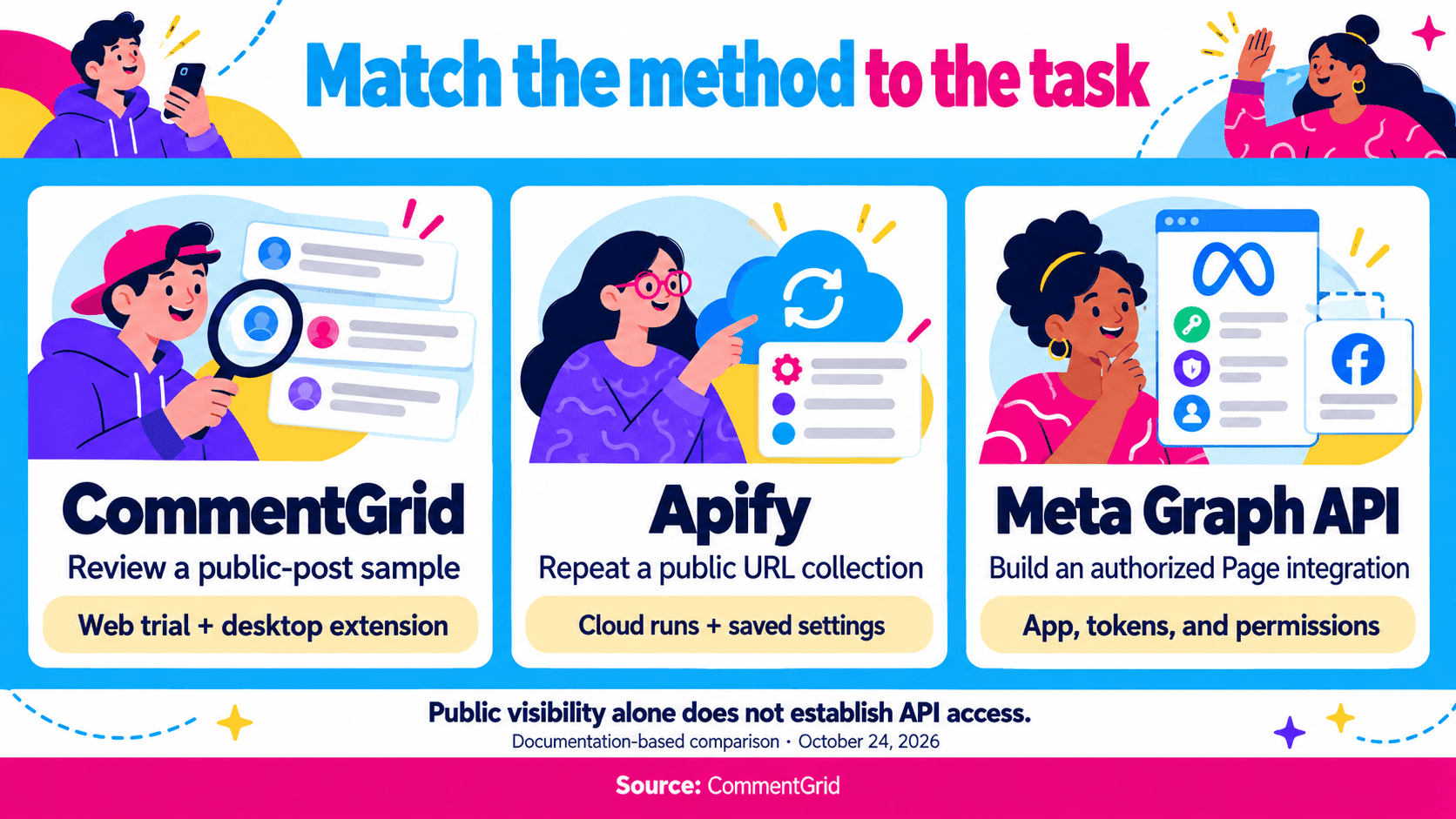
For supported public posts, consider a web tool or desktop extension for a direct review, and a cloud collector for a recurring URL list. For a managed Page integration, evaluate Meta's Graph API first. Public visibility alone does not establish API access.
This guide compares those choices. For the download steps and spreadsheet workflow, use our Facebook comment export tutorial.
Comparison scope: This is a CommentGrid guide based on official product and Meta documentation checked on October 24, 2026. Recommendations reflect documented workflows, without a speed or completeness benchmark.
Which Facebook Content Do You Need?
“Facebook comments” can mean comments under a Page post, a personal-profile post, a group discussion, or a video. A tool accepting one type of URL may not support the others.
| Source and Task | Starting Point | What to Confirm |
|---|---|---|
| A supported public post you want to review once | A web trial or desktop tool | The exact post loads and the returned records answer your question |
| A list of public campaign posts collected repeatedly | A cloud collector | Supported URLs, scheduling or API access, reply settings, and run status |
| Your own or an authorized client's Page | Meta's Pages API | Page authorization, required permissions, and app access requirements |
| Another organization's public Page | Public-post tools or an approved Meta public-content access route | Tool coverage, or eligibility for the relevant API feature |
| Personal-profile posts or group discussions | A separate scope check | Explicit support for that source; a working Page-post example is insufficient |
Use an individual post link when evaluating URL-based tools. A Page homepage or an external article linked inside a post identifies a different source. Our Facebook post-link guide covers desktop web and the iPhone and Android apps.
Facebook Comment Scraper Comparison
| Method | Suitable Starting Use | Setup | Workflow Considerations |
|---|---|---|---|
| CommentGrid | Review public-post comments, then continue into analysis or giveaway selection | Post URL for the web tool; desktop Chrome for the extension | Higher export limits with the extension; 300 free credits on signup |
| Apify Facebook Comments Scraper | Collect a list of public post URLs through a cloud workflow | Apify account, Actor inputs, and collection settings | Publicly available records, reply settings, and per-run limits |
| Meta Graph API / Pages API | Build an authorized Page integration | Developer app, tokens, permissions, and applicable review | Access to the parent object and fields allowed for that app |
CommentGrid: Public-Post Review and Larger Exports
The CommentGrid Facebook Comment Exporter lets you explore comments from a supported public post in a web workflow. Review audience questions, campaign feedback, or giveaway entries from the returned records.
Install CommentGrid in desktop Chrome for higher export limits. Sign up to receive 300 free credits, and see current pricing for credit options as your workload grows.
This route suits creators and marketers who want to review a discussion directly and continue into analysis or giveaway selection.
When trying the tool, check the fields you will use and the links back to the discussion. Include a reply thread if conversation context matters to your analysis.
Apify: Cloud Collection From a Public URL List
Apify's Facebook Comments Scraper, identified as apify/facebook-comments-scraper, documents multiple post URLs, comment and reply settings, sorting options, downloadable datasets, and access through the Apify API. Its documentation also describes scheduling and run monitoring.
Consider this route when a saved input list and programmatic retrieval matter. Keep the Actor settings with each dataset so a later run can use the same scope.
The provider states that collection is limited to publicly available comments. Inspect reply records and run limits before estimating coverage or cost. Avoid treating a post's displayed comment total as a guaranteed number of billable or retrievable results.
An Apify API token authenticates requests to Apify. Meta Graph API access requires its own authorization; evaluate the two access models separately.
Meta Graph API: Authorization Comes Before Collection
Meta's Pages API overview describes Page access tokens, permissions, Page tasks, app review, and rate limits. These are part of the integration work, alongside retrieving comments.
For a Page You Manage
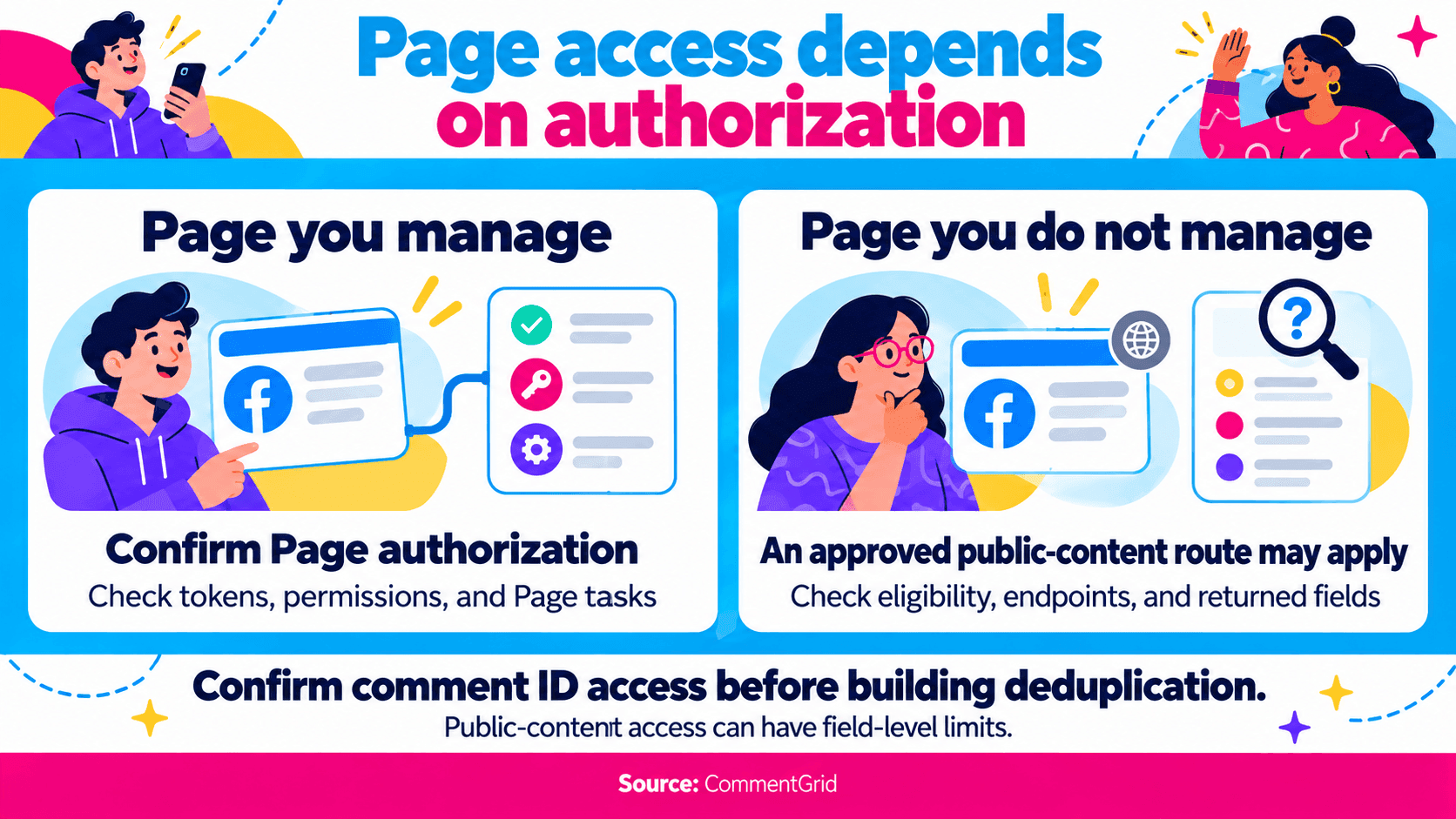
Start by confirming who can authorize the Page. Meta's documented flow obtains user authorization, retrieves the permitted Page and its Page access token, and uses that token for Page requests.
Its comment guide documents reading Page-post comments through the /{page-post-id}/comments endpoint. The comments reference states that reading comments requires the permissions needed to view their parent object.
Before building the integration, confirm:
- The Page and post your app can access.
- The token type, permissions, and Page tasks required for the operation.
- Whether production use needs app review or Advanced Access.
- The fields and reply structure your request actually returns.
- How the system will handle pagination, rate limits, and authorization failures.
Reading comments and publishing replies are separate operations. Do not use the permissions listed for posting or tagging as a universal checklist for a read-only collector. Follow the current reference for the operation and API version you select.
For a Page You Do Not Manage
The Graph API is not limited in every case to Pages you administer. Meta documents public Page data features that require approval through app review. Its Page posts guide identifies Page Public Content Access for relevant requests involving Pages the app user does not own or manage.
Approval and endpoint requirements still apply to those public Page requests. Verify eligibility, endpoint support, and returned fields before planning around them.
There is also a field-level distinction: Meta's comments reference says the Page-post comments endpoint does not return comment IDs for apps using Page Public Content Access; access to those IDs requires the ability to perform the MODERATE task on the queried Page.
If your system depends on stable comment IDs for deduplication or updates, establish that access early. A response containing comment text may still be insufficient for the integration you intend to build.
Compare the Same Comment and Reply Scope
Two collectors can return different row counts because they requested different parts of the conversation.
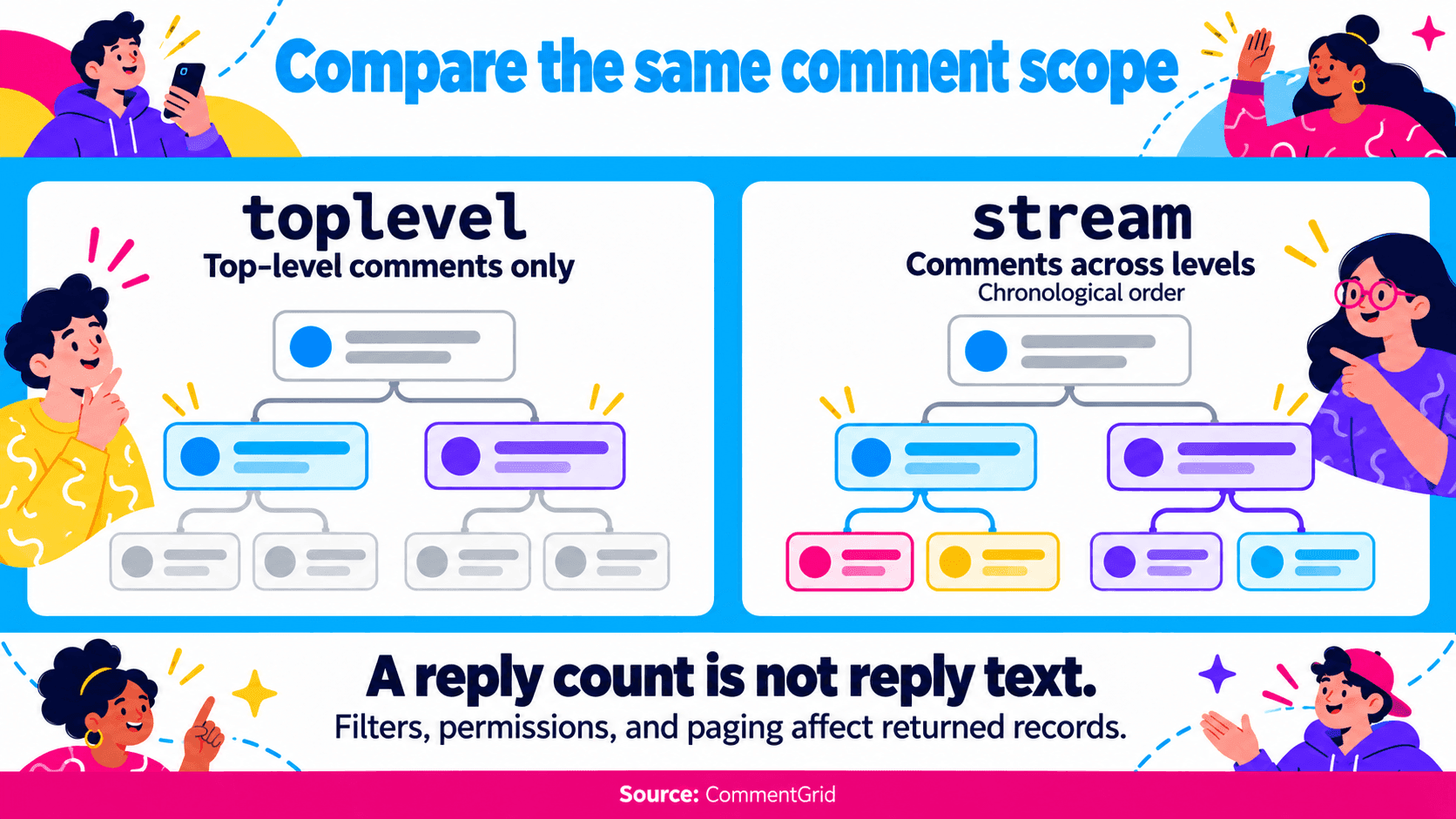
A top-level comment is attached directly to the post. A reply belongs to a comment thread. A reply count records how many responses are reported; it does not contain their text.
Meta's comments reference distinguishes these filters:
| API Filter | Documented Scope | Comparison Implication |
|---|---|---|
toplevel | Top-level comments; the default filter | Do not compare this count directly with a dataset that includes replies |
stream | Comments across levels, in chronological order | Confirm the accessible records and retain conversation relationships where available |
Those settings remain subject to permissions. The same reference explains that total_count changes with the filter and can exceed the number of returned comments because of privacy or deletion. It also notes paging limitations for objects with very large discussions.
For a scraper, inspect the equivalent controls: reply collection, sorting, date filters, and result limits. Save them with the collection timestamp. A label such as “all comments” does not establish that every record displayed on Facebook will be returned.
Evaluate a Sample Before Committing to a Method
Choose a public post with a discussion you can inspect. Include a reply thread if conversation context matters. For a production integration, also test with the actual Page authorization and app configuration you intend to use.
Judge the result against the task:
| Requirement | Evidence to Look For |
|---|---|
| Review customer questions | Readable text and enough source context to revisit a comment |
| Understand conversations | Actual reply records and a usable parent relationship |
| Combine repeated collections | Stable identifiers where available, with source-post context |
| Run recurring jobs | Recorded settings, completion status, and distinguishable failures |
Keep a failed request separate from a successful response with no records. An empty result alone does not establish that the post has no comments. Check access, input, filters, and run status before drawing that conclusion.
For recurring jobs, compare the full cost of maintaining the workflow. A cloud service involves plan and run charges; a custom API integration involves development, authorization handling, and version maintenance. A one-off review may not justify that setup.
Choose According to the Work After Collection
For a campaign review, prioritize consistent sources and readable comments. CommentGrid's comment analysis can help review themes and audience feedback, but the conclusions still depend on the collected sample. A ranked selection of comments may give a different picture from a chronological collection.
For a giveaway, define how replies and repeated authors count before choosing the collector. The Facebook giveaway winner guide covers entry review and selection. A comment dataset alone cannot establish actions outside its fields, such as whether someone shared a post.
For a managed Page reporting system, begin with the authorized API route and confirm its output before building downstream reports. For a public-post review, begin with a supported URL and a small sample.
Frequently Asked Questions
Can I Scrape Facebook Comments Without Being a Page Admin?
Supported public-post tools can be an option for reviewing accessible comments without building your own Meta app. API access follows a different model: managed-Page authorization or an applicable approved public-content feature. A Page admin role is therefore neither a universal requirement for every tool nor the only possible API route.
Can the Same Tool Collect Personal-Profile and Group Comments?
Check explicit support for each source. This comparison focuses on supported public posts and Page API workflows. It does not establish access to private groups, friends-only posts, or every public personal-profile discussion.
Is There a Free Facebook Comment Scraper to Try?
Yes. Try CommentGrid's free web tool, or sign up to receive 300 free credits. The desktop Chrome extension provides higher export limits for larger collections.
Try a Supported Facebook Post
Export More Facebook Comments With CommentGrid
Get higher export limits with CommentGrid in desktop Chrome. Sign up to receive 300 free credits.
Add CommentGrid to ChromePrefer to try it first? Try the Free Facebook Web Tool.
 M
MMarshall Sun
Building CommentGrid to decode social conversations. Exploring the signal within the noise of the global social web.