8 min read
Before choosing an Instagram comment scraper, decide whose content you need to collect. Managing comments on your brand's connected professional account is a different job from reviewing comments under another creator's public Reel.
For a small sample, a web tool can help you inspect the available data. For a recurring public-post collection, compare cloud tools and their access requirements. For an integration with an account you manage, evaluate Meta's official API before choosing a scraper.
This guide compares CommentGrid, Apify, PhantomBuster, and the official API route. If you already know you want a downloadable file, our Instagram comment export tutorial covers that workflow.
Comparison scope: This is a CommentGrid guide based on official product documentation checked on October 24, 2026. The use cases below are editorial recommendations, not results from a speed or completeness benchmark.
Start With the Account and Content Scope
Write down the source before comparing features:
| Your Task | Where to Start |
|---|---|
| Review comments from one public post or Reel | A web tool, or the desktop extension for larger exports |
| Review comments across a fixed list of public campaign posts | A collector that accepts those URLs and records its limits and run status |
| Build a comment-management integration for your own or a client's connected professional account | Meta's official Instagram API, with the appropriate authorization |
| Find one phrase or commenter in data you already downloaded | Search the existing file before collecting again |
For the last case, see how to search Instagram comments by keyword or username.
Instagram Comment Scraper Comparison
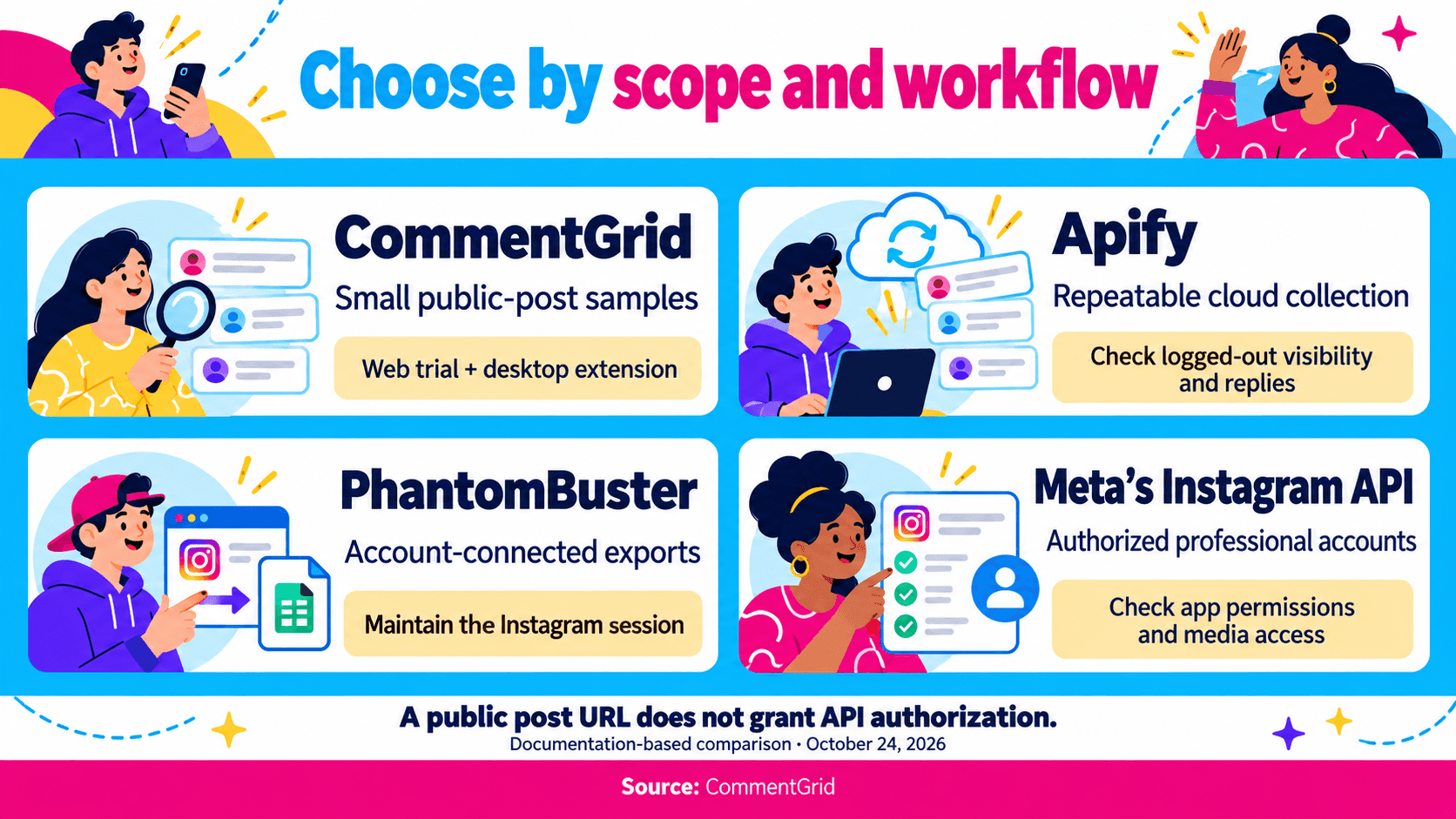
| Tool or Method | Documented Workflow | Setup to Consider | Workflow Considerations |
|---|---|---|---|
| CommentGrid | Public Post/Reel web exports and desktop export, analysis, or giveaway workflows | Post/Reel URL; desktop Chrome extension | Higher export limits with the extension; 300 free credits on signup |
| Apify Instagram Comments Scraper | Cloud collection from one or more post/Reel URLs, with API and scheduling options | Apify account, Actor inputs, and reply settings | Documented logged-out visibility and enabled reply collection |
| PhantomBuster Instagram Post Commenters Export | Export commenters and comments from a list of Instagram posts | PhantomBuster account and Instagram session connection | Session validity, launch settings, and the actual comment/reply fields returned |
| Meta's Instagram API | Authorized professional-account integrations | App, login flow, access token, and permissions | Account and media access depend on the selected API configuration |
CommentGrid: Web Exports, Analysis, and Giveaways
The CommentGrid Instagram Comment Extractor lets you explore comments from a supported public post or Reel in a web workflow. Use the returned records to review audience questions, campaign feedback, or giveaway entries.
Install CommentGrid in desktop Chrome for higher export limits, comment analysis, and giveaway selection. Sign up to receive 300 free credits, and check current pricing for credit options as your workload grows.
This route fits a creator or marketer who wants to move from collecting comments to reviewing feedback or preparing a giveaway.
Follow any account or access prompts shown in your selected workflow.
Apify: Cloud Collection With Explicit Reply Settings
Apify's Instagram Comments Scraper, identified as apify/instagram-comment-scraper, documents post and Reel URL inputs, downloadable datasets, API access, and scheduled runs.
Its documentation states that the Actor collects comments visible to users who are not logged in, and reply collection requires the includeReplies option. Results may therefore differ from a discussion viewed in your own Instagram session.
Consider this route when you need a repeatable input list or want to retrieve results programmatically. Save the settings with the dataset so later collections use the same scope.
Review the current plan and per-result pricing rather than estimating a bill from the number displayed under the post. Inspect the exported reply structure before treating every table row as a separate comment.
PhantomBuster: Account-Connected Post Collection
PhantomBuster's Instagram Post Commenters Export accepts Instagram post inputs and an Instagram cookie. Its setup describes connecting the account through a browser extension, setting the posts processed per launch, and downloading CSV or JSON results.
This is a different setup decision from pasting a public URL into a small web tool. PhantomBuster's account-connection documentation explains that automations use the logged-in session and that sessions can expire.
Consider it if an account-connected workflow fits your team's process and you can maintain that connection. Before relying on it for conversations, inspect the current output for comment text, reply records, and identifiers. The product's name includes “commenters,” but your analysis may require individual comments rather than a list of unique people.
Meta's Official API: An Option for Accounts You Manage
For your own brand or an authorized client's professional account, assess the official API before building a recurring scraper workflow. Meta's Instagram API collection describes businesses and creators managing and replying to comments on their media.
Setup depends on the login configuration. The Facebook Login configuration documents a linked Facebook Page and appropriate permissions. Check the requirements for the flow you select instead of combining instructions from different setups.
Choose this route when you need an integration and have the required account authorization. A public competitor-post URL alone does not grant that access. Keep public-post research and connected-account management as separate requirements when evaluating an API.
Four Questions That Narrow the Choice
Do You Need Post Comments, Reel Comments, or Other Interactions?
Specify the content type. Do not assume a tool documented for post comments also handles every Reel, Story interaction, direct message, or live discussion.
For URL-based tools, use the individual Post or Reel URL rather than a profile homepage. On desktop, open the content and copy its address. On iPhone or Android, find Copy link in the sharing options. Our Instagram post and Reel link guide covers the device-specific routes.
If your workflow begins with profile discovery, preserve the selected post list before collecting comments. Otherwise, two runs can disagree because they sampled different content.
Do You Need Complete Conversations or Only Top-Level Comments?
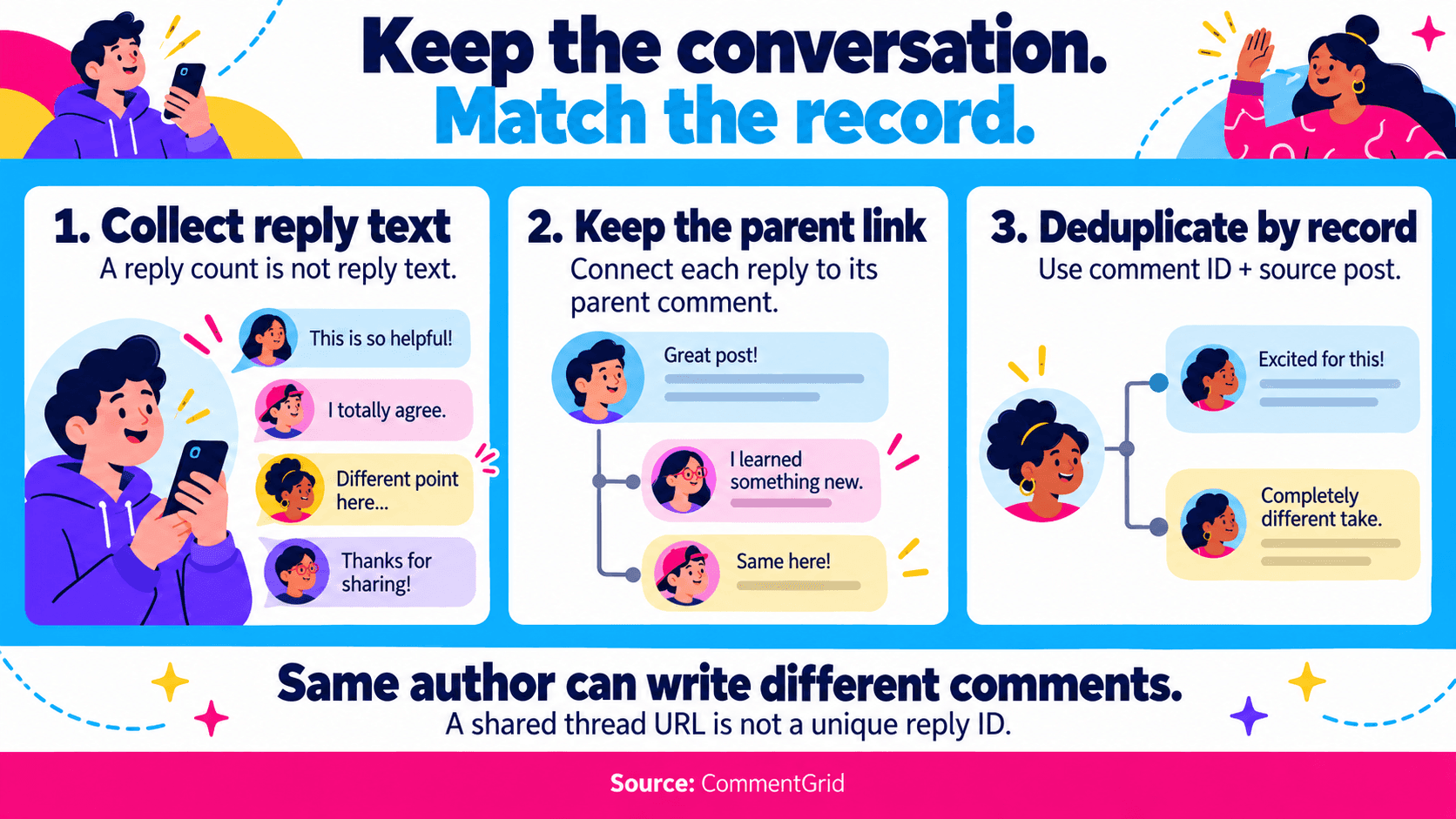
A reply count tells you that a thread reports replies; it does not contain their text. Look for actual reply records and a parent-comment relationship.
Also check how replies appear in the download. A JSON export may nest them inside a parent record, while another output may put them in separate rows. Compare the same scope before judging one tool by its row count.
When several replies share a link back to the same thread, that link cannot identify each reply uniquely. Use a comment ID with its source post context for record-level deduplication, and retain the parent relationship. Keep repeated authors when they wrote different comments.
Can You Maintain the Required Access?
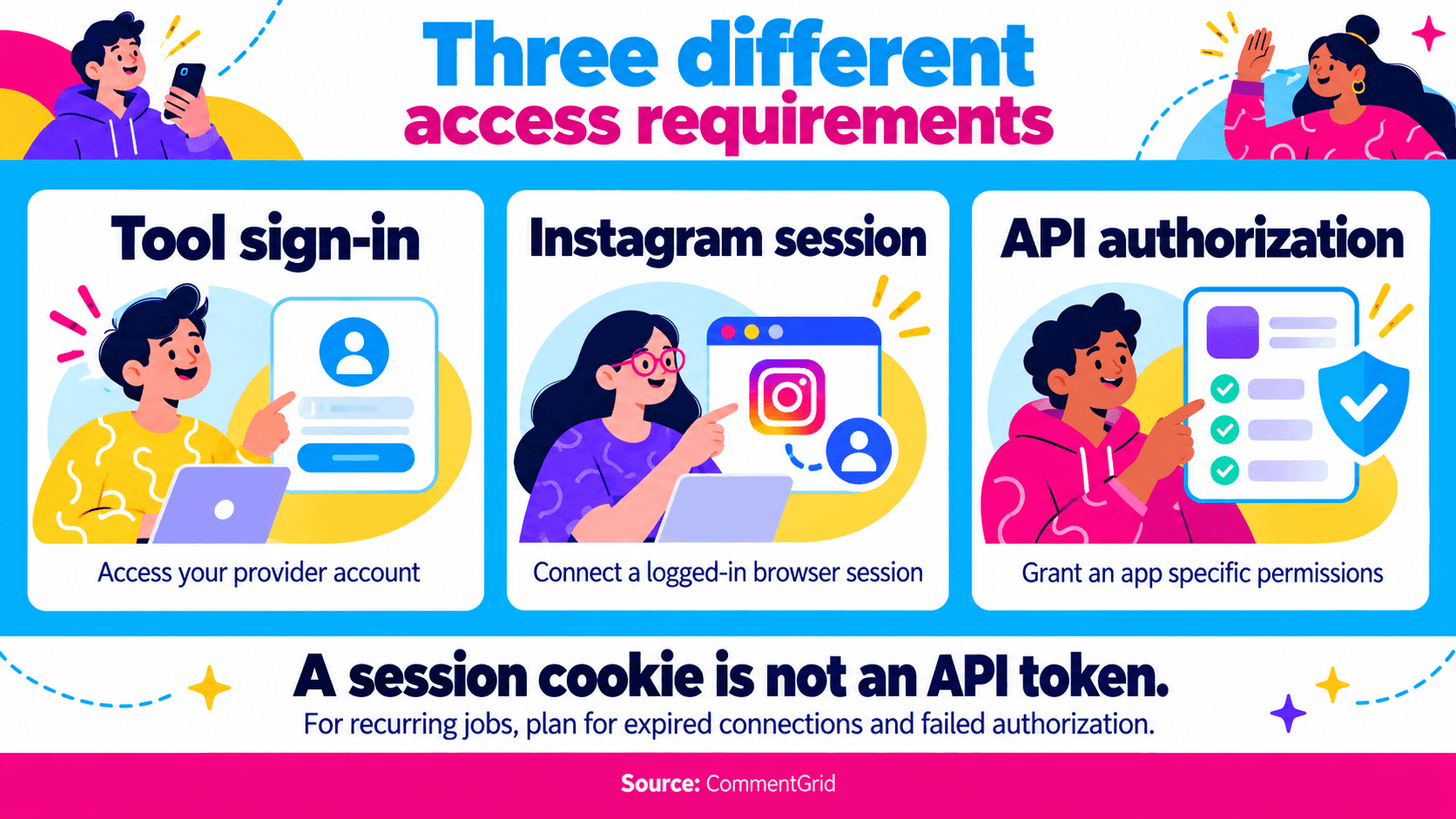
Compare three requirements separately: signing in to the tool, connecting an Instagram session, and authorizing an API app. They are different forms of access, with different maintenance needs.
Before scheduling a recurring job, decide who will handle an expired connection or failed authorization. Record connection errors separately from successful empty results.
For a one-off review, a manual workflow may be enough. For a recurring integration, connection management is part of the implementation cost.
How Does the Pricing Fit Your Workload?
Estimate usage from the posts you plan to process, the comments you need, and your reply settings.
For a recurring workflow, include any required subscription and ask how repeated collections are billed. Compare those costs with a credit-based option for occasional exports.
Use the same source list and reply scope when requesting an estimate. That gives you a more useful comparison than a headline price per thousand results with an undefined result type.
Check a Sample Against the Decision You Need to Make
Choose a public post or Reel with a discussion you can inspect. Include a thread with replies if conversation context matters, and review the returned fields and conversation structure against your task.
Check the output against your actual task:
| Task | What the Sample Should Let You Verify |
|---|---|
| Find customer questions | Readable comment text and enough source context to revisit a match |
| Analyze a discussion | Top-level/reply distinction and a usable parent relationship |
| Compare campaign posts | Source post identifiers and consistent collection settings |
| Run repeated analysis | Stable record identifiers, collection times, and a way to distinguish runs |
| Prepare giveaway entries | Comment-level records and an explicit rule for repeated participants |
These are evaluation criteria, not a guaranteed field list for every provider or format. Inspect your file's actual headers. If timestamps matter, check their format and timezone before applying a cutoff.
For audience research, continue with our Instagram and TikTok comment analysis guide. For a draw, use the separate Instagram giveaway winner guide to define eligible entries. Comment records alone do not establish whether a participant currently follows your account.
Frequently Asked Questions
Can I Scrape Instagram Comments for Free?
Yes. Try CommentGrid's free web tool, or sign up to receive 300 free credits. The desktop Chrome extension provides higher export limits for larger collections. Other tools also offer trials or free tiers; compare their account setup and reply workflows.
Can I Scrape Comments From Someone Else's Public Post?
Some tools document public-post collection. Check the source's accessibility, the provider's supported scope, and the applicable platform requirements. Public visibility does not establish that every comment or reply can be retrieved. Meta's connected-account API has its own authorization requirements.
Is an Instagram Session Cookie the Same as an API Token?
No. A session cookie represents a logged-in browser session. An API token authorizes requests within an API's permissions. Use the provider's documented connection method, and do not assume either can be substituted for the other.
Which Scraper Retrieves All Instagram Comments?
This comparison does not establish an all-comments winner. A result can be affected by settings, reply handling, visibility, access conditions, and failed requests. Judge it as a collection made at a particular time, with a documented scope.
Should I Choose a Scraper or an Exporter?
The labels often overlap. Choose by the content and account scope, connection requirements, reply records, and intended workload. For the download and spreadsheet steps after choosing, follow how to export Instagram comments.
Export More Instagram Comments With CommentGrid
Get higher export limits with CommentGrid in desktop Chrome. Sign up to receive 300 free credits.
Add CommentGrid to ChromePrefer to try it first? Try the Free Instagram Web Tool.
 M
MMarshall Sun
Building CommentGrid to decode social conversations. Exploring the signal within the noise of the global social web.