10 min read
A YouTube comment scraper collects comments from a video into records you can search, analyze, or process in code. For an occasional spreadsheet, a no-code tool is usually the quickest starting point. For a workflow you need to customize and run repeatedly, Python with the YouTube Data API gives you control over the requests and output.
Before choosing a method, check whether it collects replies, follows every results page, and reports failed requests. Those details determine what you can conclude from the data.
This guide compares the methods and includes a Python example for top-level comments. If you already know you want a spreadsheet, follow our YouTube comment export tutorial for the download and Excel steps.
Which YouTube Comment Scraping Method Should You Use?
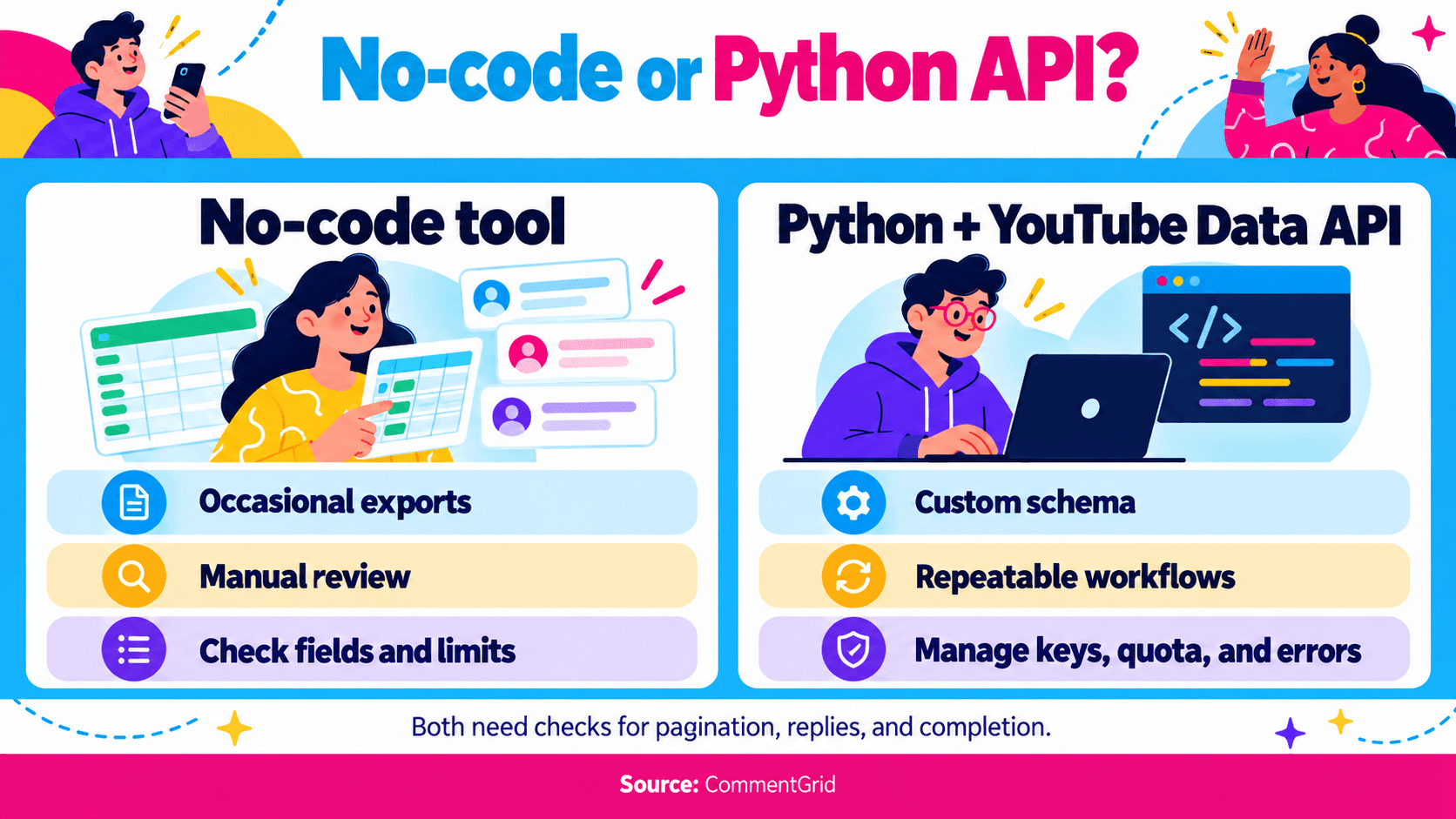
| Method | Good Fit | Setup | What You Need to Check |
|---|---|---|---|
| No-code web tool | A one-off dataset for manual review | A supported video URL; no local code | Returned fields, reply coverage, current limits, and download options |
| Python with the official API | A repeatable workflow with your own schema and processing | Google Cloud project, enabled YouTube Data API, API key, and Python | Pagination, separate reply requests, quota, and error handling |
| Python package that reads YouTube's web responses | A project whose maintainer has evaluated that collection method | Package-specific dependencies and ongoing maintenance | Recent fixes, collection behavior, platform requirements, and failure reporting |
A creator reviewing questions under one video may need a file today. A researcher comparing the same set of videos each week may need code, collection logs, and a consistent schema.
“Scraper” is often used broadly for comment-collection tools. The Python example below uses YouTube's documented API rather than parsing the watch page.
When a No-Code YouTube Comment Scraper Makes Sense
Use a no-code tool when collecting the data is a small part of a larger task: reading product feedback, finding audience questions, or preparing a campaign report.
The CommentGrid YouTube Comment Exporter lets you export up to 10 comments per video for free, with CSV and JSON downloads. You can try the web tool without configuring a YouTube API key or installing an extension. For larger comment exports, use the CommentGrid Chrome extension on a desktop computer.
Before committing to a large collection, check a small result:
- Does it contain the text, author information, timestamps, and engagement fields you need?
- Are reply texts present, or does the table show only a reply count?
- Does the tool report a limit or an incomplete run?
A no-code workflow still needs someone to review the output. Check the current tool and plan allowances rather than assuming one tool can retrieve every comment from every video.
On desktop, copy the individual video's address or use Share → Copy. In the YouTube app on iPhone or Android, use Share → Copy link. Our post and video link guide covers both routes.
How to Scrape YouTube Comments With Python
Python is useful when you need to choose the fields, keep source identifiers, or feed the results into another process. For this example, use the official YouTube Data API so the request parameters and response structure are documented.
1. Prepare Your API Access
Follow Google's YouTube Data API getting-started guide to create a project, enable the API, and obtain an API key. Keep the key out of shared scripts and notebooks, and restrict it for your intended use.
The example requests public comment threads for one video. It does not implement OAuth for channel-management operations or access to non-public moderation data.
You need Python 3, but no extra Python packages. Save the code below as youtube_comment_scraper.py.
2. Collect the Available Top-Level Comments
The script follows pagination, keeps one record per comment ID, and writes JSON with the video ID and collection timestamps. It collects top-level comments only. Reply counts are included as metadata; reply texts are not.
import json
import os
import re
import sys
from datetime import datetime, timezone
from getpass import getpass
from pathlib import Path
from urllib.error import HTTPError, URLError
from urllib.parse import urlencode
from urllib.request import urlopen


def collect_top_level(video_id, api_key):
    records, page_token = {}, None
    while True:
        params = {
            "part": "snippet", "videoId": video_id,
            "maxResults": 100, "order": "time",
            "textFormat": "plainText", "key": api_key,
        }
        if page_token:
            params["pageToken"] = page_token
        url = "https://www.googleapis.com/youtube/v3/commentThreads?"
        with urlopen(url + urlencode(params), timeout=30) as response:
            page = json.load(response)
        for thread in page.get("items", []):
            comment = thread["snippet"]["topLevelComment"]
            snippet = comment["snippet"]
            records[comment["id"]] = {
                "comment_id": comment["id"],
                "text": snippet.get("textDisplay", ""),
                "author_name": snippet.get("authorDisplayName", ""),
                "author_channel_id": (snippet.get("authorChannelId") or {}).get("value", ""),
                "published_at": snippet.get("publishedAt", ""),
                "like_count": snippet.get("likeCount", 0),
                "reply_count": thread["snippet"].get("totalReplyCount", 0),
            }
        page_token = page.get("nextPageToken")
        if not page_token:
            return list(records.values())


def main():
    if len(sys.argv) != 2 or not re.fullmatch(r"[A-Za-z0-9_-]{11}", sys.argv[1]):
        raise SystemExit("Usage: python3 youtube_comment_scraper.py VIDEO_ID (11 characters)")
    video_id = sys.argv[1]
    api_key = os.environ.get("YOUTUBE_API_KEY") or getpass("YouTube API key: ")
    if not api_key.strip():
        raise SystemExit("An API key is required.")
    started_at = datetime.now(timezone.utc)
    try:
        comments = collect_top_level(video_id, api_key.strip())
    except HTTPError as error:
        try:
            reason = json.load(error)["error"]["errors"][0]["reason"]
        except (ValueError, KeyError, IndexError, TypeError):
            reason = "requestFailed"
        raise SystemExit(f"YouTube API error {error.code}: {reason}") from None
    except (URLError, TimeoutError):
        raise SystemExit("Network request failed; no new output file was written.") from None
    result = {
        "video_id": video_id,
        "collection_started_at_utc": started_at.isoformat(),
        "collection_finished_at_utc": datetime.now(timezone.utc).isoformat(),
        "scope": "top_level_comments_only",
        "comment_count": len(comments), "comments": comments,
    }
    stamp = started_at.strftime("%Y%m%dT%H%M%S%fZ")
    output = Path(f"youtube_{video_id}_{stamp}_top_level.json")
    with output.open("x", encoding="utf-8") as handle:
        json.dump(result, handle, ensure_ascii=False, indent=2)
    print(f"Saved {len(comments)} top-level comments to {output}")


if __name__ == "__main__":
    main()
Run it in a terminal, replacing VIDEO_ID with the 11-character ID from the video's URL:
python3 youtube_comment_scraper.py VIDEO_ID
For a standard watch URL, the ID is the value after v= and before any following & parameter. The script prompts for your API key without displaying it. It also accepts a YOUTUBE_API_KEY environment variable if you already supply credentials that way.
Each successful run writes a new file named with the video ID and a UTC timestamp. The output's scope value identifies it as top-level comments only. If an API request fails, the script stops before creating an output file; fix the cause and rerun it.
This is a starting point for one video. It keeps records in memory and does not add automatic retries, checkpoints, or scheduling. Add those deliberately before using it for large recurring jobs.
3. Understand Pagination Before Trusting the Count
The commentThreads.list method returns a page of threads. Setting maxResults to 100 requests up to 100 threads for that page. It does not request every comment in one call.
When the response includes nextPageToken, send that value as pageToken in the next request. The loop stops when there is no next token. Google's pagination guide explains this pattern.
The sample uses order="time" and textFormat="plainText". It does not apply a keyword filter, which would narrow the dataset. Comments can change while pagination is running, so reaching the last page still does not produce a permanent archive of the discussion.
4. Collect Replies Separately When You Need Them
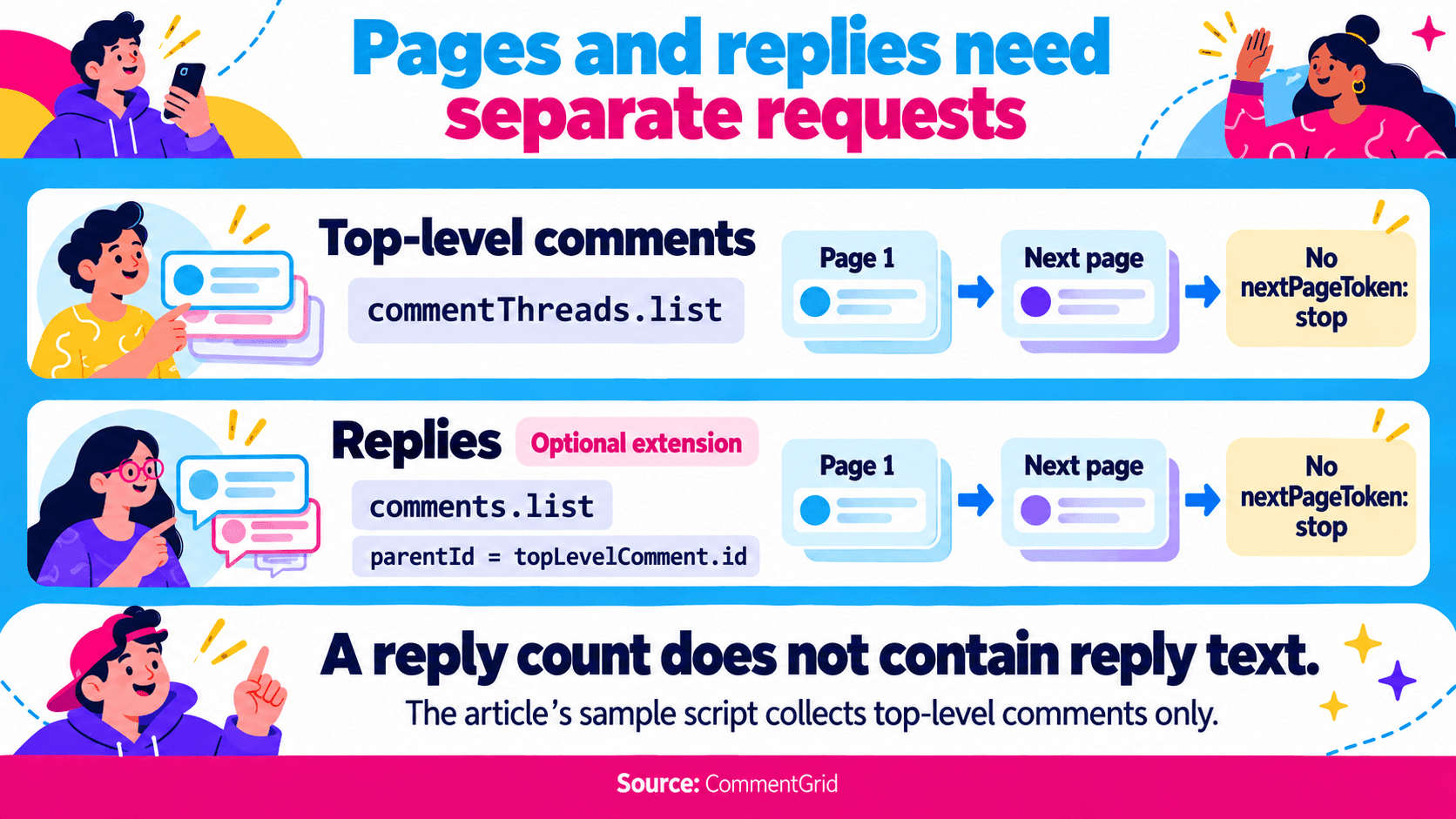 A thread and a comment are different records. YouTube's comment-thread resource documentation states that the replies embedded in a thread do not necessarily include every reply.
To extend the example for replies:
- Identify a top-level comment with a nonzero
totalReplyCount. - Call
comments.listwithpart=snippet,parentIdset to that top-level comment ID, andmaxResults=100. - Follow the reply response's
nextPageTokenuntil there are no more pages. - Store each reply's own ID and its
parentId, and mark the record as a reply.
Use topLevelComment.id for the parent, rather than assuming the outer thread ID is interchangeable. If you also request embedded replies, deduplicate them against the separately fetched records using comment IDs.
For example, a dataset with 80 top-level comments and 40 retrieved replies contains 120 comment records. A file with 80 rows and reply-count values totaling 40 still contains only 80 comment texts.
5. Plan for Quota and Errors
Google's quota calculator currently lists both commentThreads.list and comments.list at one quota unit per request. Additional pages and reply requests each add calls.
For planning purposes, 1,000 top-level comments would take at least 10 requests if every page returned 100 threads. Retrieving replies adds requests for the relevant parents. Failed requests can also consume quota, so avoid retrying indefinitely.
Use the API's error reference to distinguish a request problem from an access or quota limit:
| Error or Symptom | What to Check |
|---|---|
commentsDisabled | The video has comments disabled; repeating the same request will not enable them |
videoNotFound | Confirm the video ID and whether the video is available to the request |
forbidden | Check access requirements and authorization |
| Quota-related error | Inspect the project's quota and request usage before retrying |
| Only the first batch is returned | Check whether the response contains an unprocessed next-page token |
For a recurring job, log which video and page failed, keep credentials out of logs, and record whether the collection finished. A partial dataset should be identifiable as partial.
Should You Use a Python Scraper Package Instead?
Some Python projects collect comments from YouTube's web responses without requiring the user to supply a Data API key. That can reduce initial API setup, but it introduces a dependency on the project's collection method and maintenance.
Check the repository before adopting a script from an older tutorial. For example, the Bellingcat YouTube comment scraper repository was archived on January 21, 2025. That is a reason to inspect its dependencies and alternatives before building a new workflow around it; it is not proof that every command in it has stopped working.
For either a package or your own script, look for clear handling of pagination, replies, duplicate IDs, and failed requests. Check the applicable platform terms and API policies for the collection method you choose. A missing API-key requirement does not establish unlimited or unrestricted access.
How to Check a Scraped YouTube Comment Dataset
Use the same checks whether your file comes from a no-code tool or Python.
| Check | What to Record or Inspect |
|---|---|
| Source | Video URL or ID, plus collection start and finish times |
| Scope | Top-level comments only, or top-level comments and retrieved replies |
| Completion | Whether every requested page finished, a limit was reached, or an error stopped the run |
| Identity | Comment IDs for records; author channel IDs when needed and available |
| Context | Parent-comment relationships and links back to the source when available |
These are checks to apply to your dataset, not a guarantee that every tool creates all these fields automatically.
Inspect a few comments against the video and open at least one thread with replies. If you are measuring questions or sentiment, confirm that a short reply still makes sense alongside its parent comment.
Do not deduplicate by author unless you specifically want one row per participant. One person can write several different comments. For repeated collections, keep the collection time alongside (video_id, comment_id) so changes in likes or text remain distinguishable from duplicate records.
Once you trust the scope of the file, use our YouTube comment search guide to find keywords or authors in the exported data. For contest entries, follow the separate guide to picking a winner from YouTube comments, where entry rules determine how repeated commenters should count.
Frequently Asked Questions
Can I Scrape YouTube Comments Without an API Key?
Yes. CommentGrid's web tool does not require you to supply a YouTube API key. The Python API example in this guide requires your own key. Other packages have their own setup and access requirements.
Can a YouTube Comment Scraper Retrieve Every Comment?
Do not assume that it can. Check pagination, reply collection, processing limits, and failures. Deleted, moderated, or inaccessible comments may be absent, and the discussion can change during collection. Describe the result using its actual collection scope and time.
Does a Reply Count Mean the Replies Were Scraped?
No. A count describes the thread; it does not contain the reply text. With the official API, use separate paginated reply requests when you need those records. The sample script above does not make those requests.
Does the Python Example Collect YouTube Live Chat?
No. It requests video comment threads. Live chat messages use separate API resources and need a different collection workflow.
Is Python Better Than a No-Code Tool?
Use Python when controlling requests, schemas, and repeated runs is worth the setup and maintenance. Use a no-code tool when a downloadable dataset and manual review meet the task. Both need a check for missing records and reply coverage.
Export More YouTube Comments With CommentGrid
Get higher export limits with CommentGrid in desktop Chrome. Sign up to receive 300 free credits.
Add CommentGrid to ChromePrefer to try it first? Try the Free YouTube Web Tool.
 M
MMarshall Sun
Building CommentGrid to decode social conversations. Exploring the signal within the noise of the global social web.