8 min read

If Facebook comments are not showing, open the original post and check the comment-order menu. Change Most relevant to All comments or Newest where available, then expand replies. If several posts have blank or frozen comment sections, compare the app with a browser. Page managers should also inspect hidden comments and moderation filters.
The distinction matters: a comment can be outside your current view, hidden by a Page, removed, or simply failing to load. Each situation needs a different next step.
Match the Symptom to the Next Check
| What You See | What to Try First |
|---|---|
| A post has comments, but only a few appear | Change the comment order and load more comments |
| A reply notification opens a thread where nothing appears | Open the original post and expand the parent comment |
| Several unrelated posts have blank comment sections | Compare the app, browser, and connection |
| A comment is missing from a Page you manage | Inspect Hidden by this Page and moderation tools |
| The writer sees a comment that other people cannot | Compare access and check whether the Page hid it |
| An export has fewer rows than Facebook's displayed count | Inspect replies, returned-data limits, and the collection context |
Start with one affected post. Keep its direct URL so you can compare the same conversation after each change.
Change Most Relevant to All Comments or Newest
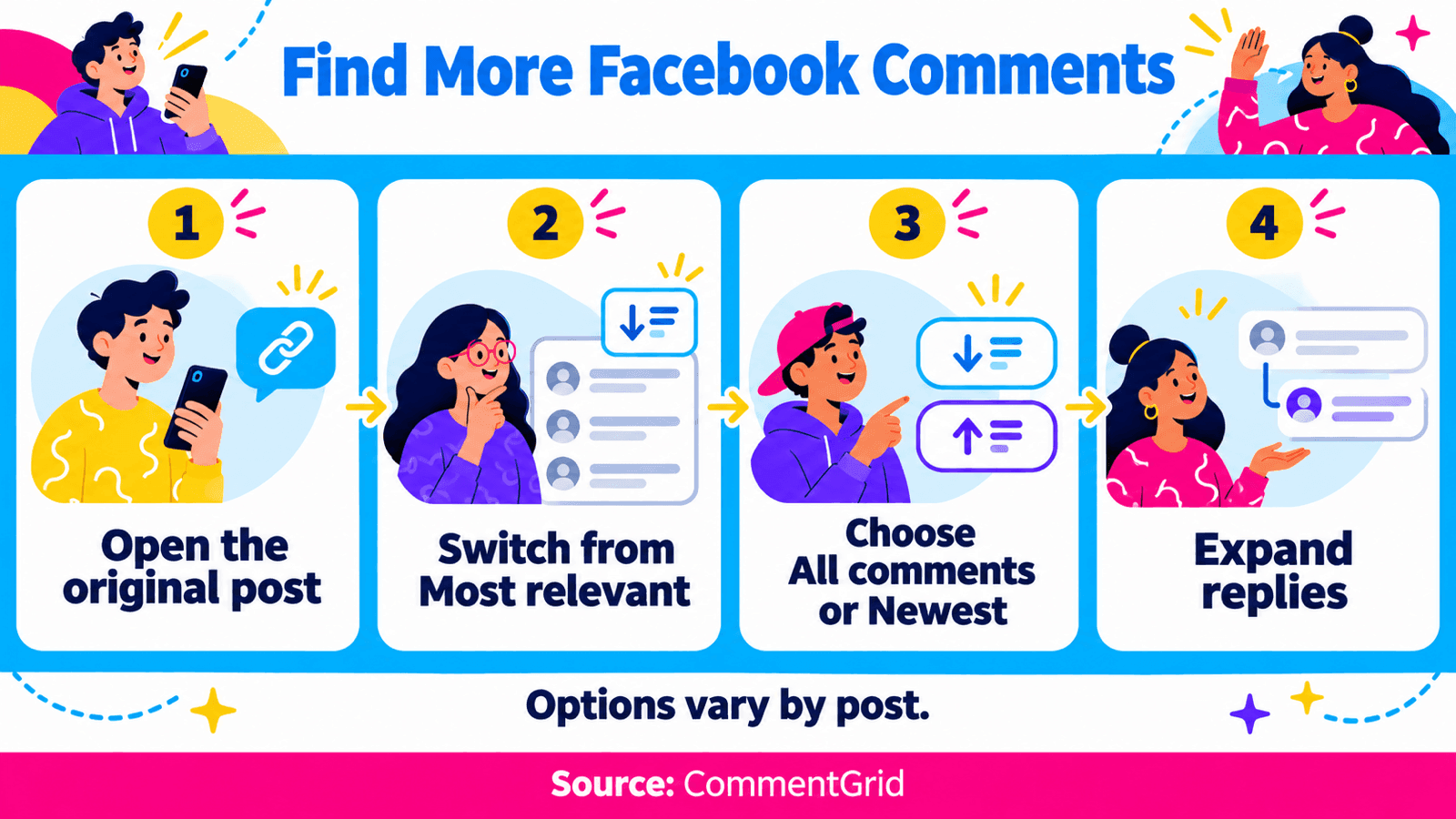
Facebook ranks comments to decide what appears prominently. Most relevant is a ranked view; it is not a chronological list. Meta explains the options in its comment-order help.
On the Web
- Open the individual Facebook post.
- Find the current comment-order label near the comments. You may need to select View more comments first.
- Select All comments or Newest, depending on your task.
- Load additional comments and expand replies beneath the parent comment.
Use Newest when you are looking for a recent response. All comments includes potentially spammy comments in the view, but Facebook can still put relevant comments first. The name does not mean every removed or access-restricted comment becomes readable.
On Mobile
Open the post in the Facebook app or your phone browser, then tap the current ordering label above the comments. Choose the available alternative and expand the reply thread you need.
Labels and available options can differ by post and interface. If you cannot find the menu in the app, compare the same post in a browser. A personal change to comment order affects your view; it does not change the order for everyone, and it may not remain selected permanently.
Check That You Opened the Right Conversation
A shared post can have a discussion under the share as well as comments under the original post. If a notification or screenshot refers to a response you cannot find, compare the author, date, and source URL before troubleshooting the app.
Open the post itself through its timestamp or sharing link. If you need help getting that URL, see the Facebook post-link instructions.
Then inspect replies beneath the relevant comment. Loading more top-level comments will not necessarily expand the particular exchange you want to read.
If Facebook Comments Are Not Loading
Use these checks when the comment panel is blank, frozen, or repeatedly loading across several posts.
Mobile App
Close and reopen Facebook, then revisit the same post. Check for an app update. If it still fails, restart the phone and compare Wi-Fi with mobile data where available.
Next, open the same post in your mobile browser while using the same account. If the browser works and the app does not, focus on the app. If only one post fails in both places, check that post's access and moderation conditions.
Save a reset or reinstall for a problem that remains after simpler checks. It is a broader change than refreshing one conversation.
Desktop Web
Refresh the original post page and test another post. Then try a second browser with the same account.
If only one browser fails, compare its version and any extensions that change Facebook's page or block scripts. Test one suspected cause at a time and reopen the same thread.
If the failure persists, keep the post URL, device and browser details, time, and exact error message for a support report. Distinguish “the panel never loads” from “one known comment is absent.”
If You Manage the Facebook Page
When viewers report one missing comment, inspect the Page's moderation state before asking them to reset their devices.
Review Hidden by This Page
On desktop, switch into the Page using an account with the appropriate Facebook access. Open the affected post, select the comment-order menu, and look for Hidden by this Page. Find the relevant comment and use Unhide if you want it visible again.
Meta's Page comment-hiding instructions distinguish Facebook access from task access. Someone who manages certain Page tasks through other tools may not have permission to perform this action directly on Facebook.
That help page currently lists the hidden-comments view for computers and the Android app. If you are using an iPhone or iPad and cannot find it, use a desktop browser. It also explains how comment ranking affects sorting hidden comments; check those instructions if the option is missing.
Understand What Hiding Changes
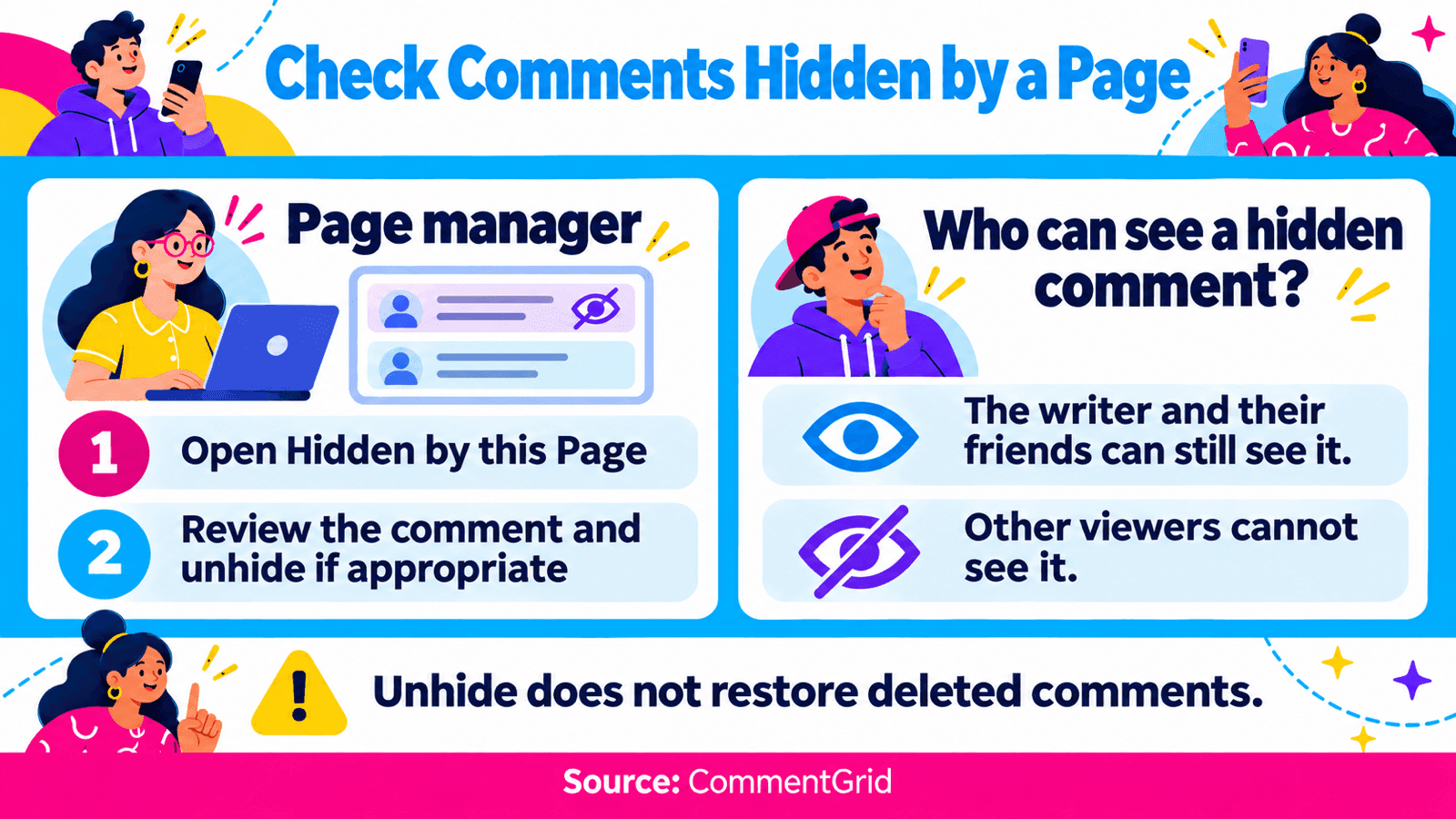
For a comment hidden on a Page post, Meta says the writer and their friends can still see it, while it is hidden from other people. Replies to that comment are also affected. This can explain a visibility difference, but you still need to inspect the actual comment to establish that it was hidden.
Deleting a comment is a separate action that removes it from the post. An Unhide control is not a way to restore a deleted comment.
Inspect Automated Moderation
Review the Page's word filters and any active Moderation Assist rules. Meta describes Moderation Assist as a tool professional accounts can use to control comments according to criteria, including images or links.
Meta has also described automatic hiding of some suspected fake-identity comments. An automated action is therefore another place to investigate; it is not evidence that every missing comment was caught by a rule.
For a fictional example, a Page might hide comments containing a tracking-link domain while a viewer is asking a legitimate question with that link. Inspect the comment and matching rule, then decide whether to unhide the entry or adjust that specific rule. You do not need to remove all moderation to investigate it.
If Your Comment Is Missing on Someone Else's Post
Check the original post and the parent thread, then change the comment order where available. If you received a posting error, record it: a comment that never submitted needs a different investigation from one that later disappeared.
The post owner or Page may have moderated the comment, or Facebook may have removed it. Access can also change when the underlying post is no longer available to you. The displayed count or a notification alone cannot establish which happened.
If you can see your comment but another viewer cannot, compare the same thread first. On a Page, a hidden comment can remain visible to its writer and their friends. The Page manager can check that state; a viewer cannot open the Page's private moderation view.
Personal profiles and groups use their own access and moderation controls. The Page-specific Hidden by this Page steps above should not be treated as a universal menu for every Facebook conversation.
Why Facebook's Comment Count May Be Higher
Before comparing a count with the comments on your screen, change the order, load more entries, and expand replies. Also confirm that you are reading the original post rather than a discussion attached to a share.
The number displayed beside a post is not a list of the individual records available in your current view. A difference can point you toward further checks, but it cannot tell you how many comments were deleted or who moderated them.
An exported row count is another measurement. Collection conditions and returned-data limits affect the file too. Keep these observations separate when reporting a discrepancy.
When to Save Comments in a File
If a public conversation is accessible but awkward to review on screen, the Facebook Comment Exporter can help you save the returned comments for spreadsheet work. Keep the source-post link and collection time with your notes. The Facebook export tutorial covers the download workflow.
This is useful for reviewing feedback or keeping campaign records. An export does not restore deleted comments, expose a Page's private hidden-comment view, or guarantee that its rows equal Facebook's displayed count. Use Facebook's own moderation tools when you need to unhide a comment you control.
Frequently Asked Questions
Why Does All Comments Still Not Show Everything?
Changing the order expands the viewing options, but it cannot restore removed comments or override access restrictions. You may also need to load more entries and expand replies. Page managers can separately inspect hidden comments.
Can I Permanently Turn Off Most Relevant for Every Post?
Changing a post's ordering menu is a personal viewing choice and may not persist. A Page's comment-ranking settings concern that Page; they are not a universal setting for every conversation you visit.
Why Can the Writer See a Comment That I Cannot?
Check the same post and reply thread. A comment hidden on a Page can remain visible to its writer and their friends. Other access differences are also possible, so ask the Page manager to check before concluding that it was hidden.
Can I Recover a Deleted Facebook Comment With an Exporter?
An exporter can save comments available to its request. It cannot recover a deleted comment. A file saved earlier may contain the earlier text, but it does not put the comment back on Facebook.
Keep Available Facebook Comments for Your Records
Save public-post feedback for spreadsheet review with CommentGrid. Get higher export limits in desktop Chrome and sign up to receive 300 free credits.
Add CommentGrid to ChromePrefer to try it first? Try the Free Facebook Web Tool.
 M
Marshall Sun
Building CommentGrid to decode social conversations. Exploring the signal within the noise of the global social web.